Geek News Central is the technical site for Geeks. We Spin tech for the common man. With a Family of Tech Shows and Content.


Archive for 2009

GNC-2009-12-31 #540 Two Special Guests

Posted by geeknews at 8:03 PM on December 31, 2009

It’s the end of the year and I bring on two special guests to have a chat. I hope you enjoy the show. Programming note, You will find links to the Special Media Feed, and iTunes subscription link below this is where 99% of the 2010 CES coverage is going to be placed, “subscribe to that feed today”.

CES Coverage / Podcast Media Schedule for next week:
Regular Podcast Feed Content

  • Jan 4 Regular Show (From Vegas)
  • Jan 5-10 CES Daily Wrap Up Shows
  • Jan 11 Regular Show (From Vegas)

Special Media Feed Special Media iTunes Link (Subscribe)

  • Jan 5-10th Variety of Interviews and Content from CES

Home Page of Geek News Central Starting 1-5

  • Live Ustream.TV Video when Online
  • Tech Podcast Network Primary Channel (Video)
  • Tech Podcast Network Back Channel (Video)

NBC Universal Special Streaming Event (Schedule)
Location GNC Home Page

  • Saturday January 9th @ 5PM Pacific
  • Sunday January 10th @ 12PM Pacific

Important Note you will want to make sure you are synchronizing to the feed at a minimum of daily. Failure to do so and you will miss content!

Ongoing support by these fine sponsors keep the lights on your support is appreciated!
[Save 15% on orders $20.00 or more at >GoDaddy.com!] use Code Geek5
[GotoMeeting Hold your meetings online for just $49/mo. Try GoToMeeting FREE for 30 days]
Check out our Free Magazine Offers!
Complete List of GoDaddy Promo Codes for huge Savings!

Follow @geeknews on Twitter http://www.twitter.com/geeknews
My Personal Facebook Profile
Join the Geek News Central Podcast Facebook Page
Video of Show at geeknews.blip.tv
Video of Show at www.youtube.com/user/geeknews
Show Comments please call 1-619-342-7365 or e-mail geeknews@gmail.com

Listener Links:
SDRNews.com
Geekazine.com
TechPodcasts.com
NBC Universal Schedule

Send in your stories to geeknews@gmail.com and be sure to provide a link to your websites!


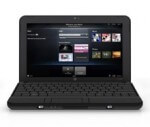
HP Mini 110 Netbook – Mini Review

Posted by fogview at 5:29 PM on December 31, 2009

HP Mini 110 NetbookNetbooks seems to be one of the biggest “old” technologies for 2009. I say old technology because it doesn’t seem to really offer anything that hasn’t been offered before, except in a smaller size. Under-powered machines have been around since PCs came on the scene back in 1981 (and before).

With that said, I been using one for a couple weeks and find I really enjoy it. So what’s changed? I think it comes down to having the right product at the right time. The right time being the ability to take advantage of the Internet with built-in wi-fi and internet browser.

I think another reason for the popularity of netbooks is that they are not trying to position themselves as your main machine. They are really intended as a secondary machine that you would use around the house or office or to take when you travel.

I’ve been using the HP Mini 110 netbook with Windows 7 Starter edition. I’ve been using Windows 7 on my other machines and decided if I was to get a netbook, it should have Windows 7 and not XP that is offered on some machines. (The HP Mini 110 does come with XP and you can add Windows 7 for about $30 extra).

Here are the main features of my Mini 110:

  • 1.6 GHz Intel Atom N270 Processor
  • 1 GB DRAM
  • 10.1″ WVGA display
  • 160 GB Hard Drive
  • Wi-Fi and RJ-45 Ethernet
  • Webcam with built-in mic
  • 5-in-1 Digital Media Reader
  • 3 USB Ports
  • External VGA Port

I have both Mac and Windows machines (desktops and notebooks) that I use on a daily basis so why do I need “another” computer? There is something wonderful when you get a new computer. It’s so fresh and new and fast. (Fast is not something I would associate with my netbook, but its not that slow). The key is managing its use and the programs I don’t put on it. From my experience machines slow down from “program bloat” — installing too many programs on a machine. These programs take up disk space, desktop space (icon shortcuts), and each one wants to hack away at your registry. All the things that cause the machine to slow down over time. I know there are things you can do to clean up your system, but it’s never the same as a new machine (or reformatted hard drive).

I plan to take a “less is better” attitude to what goes on my netbook. I use it for Internet browsing, Skype and general note taking. I have installed a few utility programs that I can use to remotely manage my client’s websites but I don’t plan to burden it with Photoshop (Elements), Word, or anything else that will bring it to its knees.

So far I’ve enjoyed the experience. From time to time I check in on a number of live video sites, TWIT and Geek News Central, and find the netbook is perfect for that. I can open a session and take the netbook with me as I go to different parts of the house and not miss a beat. If I keep it in the kitchen, it’s there if I need to do a quick Google search and doesn’t take up much counter space. (I don’t need a memory, I have Google :) )

After a few weeks, here are my pros and cons of the netbook:

Pros:
- Lots of built-in features: 3 USB ports, VGA port, SD card reader, RJ-45 jack, wi-fi, web cam.
- Long battery life: about 6 hours
- Nice keyboard
- Small size

Cons:
- Speaker sounds tinny. (I use a small portable speaker system when I need better sound.)
- Display is only  1024 x 576 pixels. The 1024 width is fine but the 576 height is a little short for some programs that assume a taller display. I have some programs that don’t resize and I can’t access buttons at the bottom of the screen.

I don’t think the netbook is for everyone and I wouldn’t recommend it as your only computer, but I think it does have it place.  So far this netbook will stay a part of my toolkit and I’ll keep you informed as I use it more.

Happy New Years to all!

73′s
Tom

2010 GNC CES Coverage and NBC Universal!

Posted by geeknews at 5:36 PM on December 30, 2009

On Sunday I fly out to Las Vegas to meet our team of 9, made up of 3 show hosts, and 6 support staff to begin our 2010 coverage of the Consumer Electronics Show representing the Tech Podcasts Network.

Like years in the past, we will have a daily wrap up show, that will cover the best of CES, and feature our pick of the day. Leading up to the show and throughout the show we will do over 150 video interviews of all the coolest consumer electronics that will be posted here at Geek News Central.

New this year, Our good friends over at NBC Universal have allotted us time to stream a live event from their main stage on Saturday January 9th at 5pm Pacific and Sunday January 10th at 12pm Pacific. We will be introducing a variety of companies and products during that special event. We hope that you will tune in here at Geek News Central for not only the live events but also our full breadth of coverage.

Additionally we will be streaming some of the events and content we record here at Geek News Central as well. You will want to keep your browser locked to GNC starting Tuesday January 5th when we kick off our coverage.

Your 2010 TPN CES Team includes Andy McCaskey from SDRNews, Jeffrey Powers from Geekazine, and Todd Cochrane from Geek News Central

Mark your calendars today!

WSAZ Iphone Application Review

Posted by KL Tech Muse at 10:16 AM on December 30, 2009

WSAZ is the local TV station  that services the Huntington and Charleston, WV area.  I must admit that I don’t watch a lot of local news on TV.  I usually only catch it when I can’t find the remote.  However  this doesn’t mean I am not interested  in local news, I just don’t have the time or desire to sit in front of the TV at the same time every night.   Unfortunately for local news I don’t think I am unique.  They could have just thrown up there hands and given up on viewers like me.  They didn’t do that though, they looked around and realized that people like me spend a lot of time on our smart phone.  They had a company create an Iphone application for them.

It is a really good application and I use it daily.  You can look at local news, sports, weather and business.  They provide videos which play through the Youtube  application.  You can share  a story by email, Facebook or Twitter   If you observe a local news story, you can upload video or pictures to WSAZ through the application.   If you click on weather you can look at the forecast, watch the radar or check for local alerts.  Under sports they have news and scores from Marshall and WVU.  They also provide scores and schedules for high schools in the area.

Basically it has got everything you need to follow local news.  The only complaint I have is I wish it would update more often.  If you live in the Charleston-Huntington area I would recommend downloading the application.  If you live some other area then go to the Iphone app store and put in your local news station call sign. If an application is available download it, you may learn things you didn’t know about your area.

GNC-2009-12-29 #539 I make a Startling Announcement!

Posted by geeknews at 1:24 AM on December 29, 2009

Some of you are gonna flip out when you here the conclusion, I came to today while visiting a local merchant. I reverse my opinion on something I have long stood against. Sorry no more clues. I get back on track today on the intro timeline. Enjoy I think this one will go down in the history books and I expect to get a torrent of email and voicemail comments. Yes I think it’s pretty dramatic.

Ongoing support by these fine sponsors keep the lights on your support is appreciated!
[Save 15% on orders $20.00 or more at >GoDaddy.com!] use Code Geek5
[GotoMeeting Hold your meetings online for just $49/mo. Try GoToMeeting FREE for 30 days]
Check out our Free Magazine Offers!
Complete List of GoDaddy Promo Codes for huge Savings!

Follow @geeknews on Twitter http://www.twitter.com/geeknews
My Personal Facebook Profile
Join the Geek News Central Podcast Facebook Page
Video of Show at geeknews.blip.tv
Video of Show at www.youtube.com/user/geeknews
Show Comments please call 1-619-342-7365 or e-mail geeknews@gmail.com

Listener Links:
Cell Phone Mania!

Show Notes:
What is wrong with Air Safety!
3D for DirecTV do you care?
Yes NYC you can order a iPod now!
eReaders coming out of our ears!
USB 3.0 Sata Adapter!
Did Apple Screw Up?
This one will make you puke!
iMac 27 Inch FAIL?
Top 10 iPhone Apps? What were Yours?
Meebo?
Murdoch will not be Happy!
Best of Master New Media!
1-2 Billion Tweets per Hour!
How much will you pay for Hulu?
Google about to get some Jet Fuel!
The Christmas Mobile Winners Are?
Is it Time to Tax?
Regional DVD Codes why?
Need Some Mac Tips for Beginners?
ISS back at 6 Roomies.
Psystar to sell Linux Boxes?
Digital movies before DVD could it be True?
Wireless Master Plan to reclaim TV Spectrum?
It’s not a Substitute for Common Sense!
Earth magnetic Pole on the Move big Time!
Botnet brought down with Offense versus Defense!
It was Free to begin with!
Be careful of Facebook Everyone!
Reuters transparency in Doubt.
Get off MySpace.

Send in your stories to geeknews@gmail.com and be sure to provide a link to your websites!


The One Thing Apple Did Wrong this Year

Posted by Jeffrey Powers at 2:17 AM on December 28, 2009

First of all, I know there are going to be people disagreeing on this, so let’s just say we’ll agree to disagree….

I have seen a few articles on the web talking about the 10 things that Apple has done right and the 10 things Apple has done wrong. While I look at some of the items on these lists, I agree with it for the most part. You can probably guess some of the things like Apple and AT&T, the Tablet rumors, not upgrading the Mac Pro, etc.

All in all, there is one thing that I think Apple should have done this year and didn’t really do. It’s something that was on Beta News top ten list of things they did right. But I disagree:

Apple did not lower the prices enough.

Back in June the gossip was that Apple was lowering prices on their Macbooks. Everyone was a flutter with a possibly “affordable” machine. But in the end, the reality was that the Intel Dual core laptop started at $999. If you wanted a more affordable Mac – The mini only costs $599.

Now if you compare that to a PC Laptop – 2.66 Dual core with 2 GB DDR3 memory and 250GB hard drive, you will find that price is at about $700. It is said that 30% of the macbook sale is profit. That is about $300 for the Apple name and OS. Apple is expected to have sold about 3 million new machines in this quarter alone, meaning $300 million in sales – or (if numbers stayed the same year round) $1.2 Billion.

Before we move forward – I realize that Apple has to answer to investors. Making profit is key, especially in this economy. However, this last year and a half has not been good to some. Most companies have tried to lower prices so people can buy more and re-stimulate the economy.

Apple didn’t do anything viable for the average consumer.

If they would have done the same thing as with the original Macintosh, then I would be more sympathetic to the cause. Basically, Apple – Back in 1985 – started a program to build, or even rebuild school computer rooms. I was lucky enough to go to a High school that had received 30 Macintosh Classics from this program.

But in this go-around they didn’t. They pretty much profited the money from the sales.

I am all for making a profit in any economy. PC manufacturers would always complain that the problem with building computers was they would only make a couple dollars from selling because the competition was so high. That is why companies made support plans – to make some extra cash on a sale.

My problem lies with the fact that a low end Macbook is not affordable to the average consumer. That is why Microsoft made the PC hunter commercials. A Mac for $1000 whereas a PC Notebook for $500. Yes, it might have a slightly slower processor to it, but will the average consumer actually notice a500 Mhz difference? We could also talk about how AMD processors would match the speed and keep the price low. But let’s not get into THAT argument.

Add to it Apple’s other interests, like iPhone sales, which are great. It costs them $179 to build a 16 GB model. Now while you are saying “That’s OK, I only paid $199 for the phone”, the reality is you didn’t. AT&T picked up the difference for the exclusivity. A $400 difference.

Here is how it works – AT&T pays Apple a monthly fee per phone on their system. So within 2 years, AT&T will pay Apple around $400 for your phone ($12-15 per month). Making Apple about $400 on your $179 iPhone ($600 in total). Of course, if you buy the phone outright, it will cost you $499.

Now we will talk stocks: This last week, Apple shares rose to $209 – the highest they’ve ever been. Why is that? No other reason than the fact that a rumor is going around about a Tablet that might be coming.

Really?

I could go on with numbers, but I think I made my point. Apple could have easily dropped a Macbook to $700, and a Macbook Pro to $900. They would have then sold Apple care for $70 a year and still made a tidy profit.

So the rumor of the Tablet is it will sell for $600. I would venture a guess to say it will be more $800 (if this rumor comes true). Why? Because Apple doesn’t want to “Cheapen” the computer experience for anyone. And they certainly don’t want to lighten the pocketbooks.

Firefox 64-bit Needed for Windows7 – NOW

Posted by Jeffrey Powers at 1:17 AM on December 26, 2009

I remember when I decided to move to Firefox over Internet Explorer. IE6 was not cutting it and Mozilla was showing promise. Add to it all the security issues for some projects I was working on and the plugins to test code. I never thought I would move away from Firefox at that point.

Until Windows7 64-bit.

Everyone talked about how Firefox crashed, and in all reality, I didn’t see that problem. That was until I hit 64 bit mode. Firefox is still a 32 bit application, so I expected a few crashes during the inception.

Then the crashes started happening a little more than usual. I would be working – especially on a page that housed Flash – and the system would stop responding. I would restore what I was working on, but the same process would happen again within minutes. Just the other day I had the browser crash 6 times in an hour – halting my work every time.

Add to it the memory it starts to eat up. I pulled up Task Manager and watched how – while I was doing nothing in the program – the system was allocating more memory for it. Now you might think that it was because of Flash or a plugin I had installed, but I turned off all plugins and was on my homepage – which is a page I created with nothing but HTML links.

I decided to look for a 64 bit version of Firefox. One area said they are not even thinking of going 64 – at least not until version 4. I did find the alternate projects to FF 64. I installed a program called “Minefield”, which made me nervous to begin with. Who names a testing platform “Minefield”?

Alas, it wasn’t any better. I had no Adobe flash and it crashed within a few pages.

I don’t get it. It’s the only 32 bit program that crashes on a regular basis. I even tried compatibility mode, but the browser would still stop responding.

The big issue was the memory hog it became. I went to the about:config option to try and find a key that would limit or release memory. There was none that I could find. I might have overlooked it – anything is possible. But as far as I know, nothing to change how it works memory.

I didn’t think this would be a big issue for Mozilla. 64 bit OS has been around for a couple years now, and they have Firefox 64 for Linux and Mac users. But not for PCs

Therefore, for now I am using Chrome on the main system. Since the laptop is still 32 bit Windows XP, Firefox will be the browser of choice on that machine. It doesn’t crash there. I personally don’t like Chrome, but if I had to order the browsers I would use and like, it would be Firefox, Chrome, Opera, IE and then Safari.

Still, I implore Mozilla to get on the 64 Bit kick and get this browser out. I also want you to try and figure out why Firefox eats memory like a high scoring Pac-Man game. I like the plan of going to the ribbon style menu, but if it still causes crashes, I’ll have no choice but to switch off Firefox. After all, I cannot start working in a browser that might stop responding, especially if I am in the middle of writing a blog post.

GNC-2009-12-22 #538 Merry Christmas and Happy Holidays

Posted by geeknews at 1:19 AM on December 22, 2009

First of all Merry Christmas to all that celebrate Christmas and Happy Hauneka, may you all have a wonderful time with family. On this episode You will here me freak out at about the 50 minute mark? At that point the audio recording computer tells me I am at an 1hr 31 Minutes instead of 50 minutes which I don’t figure out for a few minutes? Turns out my trusty audio recorder lost its mind tonight? May have to rethink firewire.. Anyway I pulled the lower quality audio recording from the tricaster as a backup as the original recording was TRASHED. Great show regardless, just one of those things that happen, at least I did not have to record the entire show over.

Ongoing support by these fine sponsors keep the lights on your support is appreciated!
[Save 15% on orders $20.00 or more at >GoDaddy.com!] use Code Geek5
[GotoMeeting Hold your meetings online for just $49/mo. Try GoToMeeting FREE for 30 days]
Check out our Free Magazine Offers!
Complete List of GoDaddy Promo Codes for huge Savings!

Follow @geeknews on Twitter http://www.twitter.com/geeknews
My Personal Facebook Profile
Join the Geek News Central Podcast Facebook Page
Video of Show at geeknews.blip.tv
Video of Show at www.youtube.com/user/geeknews
Show Comments please call 1-619-342-7365 or e-mail geeknews@gmail.com

Listener Links:
TubeMogul
Calibrate your HDTV!
Window Shade Recall!

Show Notes:
Twitter Profitable?
Roku Grows Up!
Roku opens SDK to All!
5 Digital Audio Products of 2009.
Cancer Warning on Cell Phones?
Psystar still selling products sort of?
Tap Tap making Cool Million a Month!
Why is CableCards such a Mess?
Mars Phoenix has a recovery feature!
Mars Phoenix #2
Apple Fixes iMac Monitor Flicker.
Ford + Sync + Wifi = Cool!
Big Mac = Free Wifi
Firefox 3.5 now #1
Malware and Botnet Operators building own ISP’s
1 in 250,000 chance we get wacked!
Some Red Light Cameras causing more Accidents!
Apple your next TV Provider?
Levelator 2.0 in Beta Test!
What’s next for iPhone?
Another Idiot Criminal.
Think you have Bedbugs?
AT&T wins 3G race?
How to Measure Social Media ROI.
Youtu.be URL Shortner.
What is the state of RSS Readers?
Justin.TV launch PayPerView!
Soyuz of to ISS!
NASA to get new Priorities from President?
AT&T says it’s the Phone not the Network?

Send in your stories to geeknews@gmail.com and be sure to provide a link to your websites!


Attention: Malware On Your Computer?

Posted by fogview at 11:55 PM on December 20, 2009

“Security center has detected malware on your computer.” Have you ever seen that message pop up on your computer? Have you ever seen it happen over Skype? Well, I’ve received that message three times in the last month as a Skype message. It tells me that my Windows software is infected and I need to install a patch. It even gave me a website (link) to go to to help me install the patch.

Skype Malware Message

I may have fallen for the trick but I don’t know how a Windows patch would fix my iMac running OSX. I don’t run Bootcamp, or Windows in a virtual machine, nor does my iMac know what an .EXE or ActiveX file is. I’m sure if I clicked on this link and installed the patch on my Windows machine, my machine WOULD have been infected with malware! (For now Mac machines may be safer from malware infections but it’s wise to still be careful.)

I’ve written before about being safe on the Internet and not going to sites you don’t know or clicking on links in emails, but this is the first I heard of a message over Skype. If you look at the message box (on my iMac), it doesn’t even say it’s from Skype and the window title says. “Software Updates.”

What concerns me is that many people may fall for this trick. I know most readers of GNC and listener’s to Todd’s podcast are tech savvy enough that they wouldn’t fall for something like this, but what about mom (or dad) or your grand parents who get a web cam for Christmas and install Skype so they can talk to the grand kids? Would they click on this link and install the “patch” if this message box appeared?

Google is trying to find sites that install spyware and root-kit software on your computer, but you can’t depend on this for every “bad” website. Recently there was a SQL-injection virus that infected a large number of websites. The virus takes advantage of PCs running Windows that have not been patched with the latest updates. You don’t have to click on any links to get infected — just visit a site taken over by this malware software. It does this by linking to the site 318x dot com (please don’t go to this site). If you search for 318x dot com using google, the first search listing says “This site may harm your computer.” That because this site has been around for a while and has given enough time for Google’s security bots to find the site and determine that it’s up to no good. Here is the link for the Google Safe Browsing page for the 318X site: http://google.com/safebrowsing/diagnostic?site=318x.com/

Now back to my Skype message. I mentioned that this is the third time I’ve received this message in the past month. Each time I did a Whois search of the linked website and found that the website was created within one day of when I received the message. The website mentioned in the most recent warning message was created the same day I received the message. This tells me that the author of this warning message is changing the website URL to keep it from being flagged by Google and the security monitoring sites. If you do a Google search for this site it comes up clean. Oh, did I mention that the owner of this site (and the previous two sites) is from Prague, Czech Republic (outside US laws)?

As you visit relatives and friends over the holidays make sure everyone knows about safe surfing on the Internet. Don’t click on links in emails (or Skype message boxes) and make sure to keep your computer’s OS patched and up to date.

Happy Holidays.

73′s, Tom

Sometimes you need to draw it out.

Posted by geeknews at 2:31 AM on December 19, 2009

Two of the big events for CES 2010, for the Tech Podcast Network crew headed to vegas is our live streaming events we will be doing from NBC Universal main stage. Our friends at NBC Universal, made available some time for us on Saturday, January 9th and Sunday January 10th to do two live streamed events, so we needed to make sure that all the equipment we were going to need is shipped. This is a crude drawing of how it is going to be wired up. I will be bagging and tagging cables and gear this weekend. I will give you a Video tour of the setup later this weekend.