Geek News Central is the technical site for Geeks. We Spin tech for the common man. With a Family of Tech Shows and Content.


Archive for September, 2011

Colleges Struggle with Students’ Broadband Demands

Posted by susabelle at 8:54 PM on September 30, 2011

It’s not the number of devices being brought onto campus these days that is challenging the bandwidth that campuses can offer.  It’s the type of use.

That’s the struggle that many campuses are facing these days.  10,000 students on campus now mean a laptop, an iPad or other tablet, and maybe a Kindle or other such device, per student.  But the real issue is with the amount of high-bandwidth usage these devices require.  I’m a mother of a grown son and a teenager.  And I can tell you what they spend most of their time doing online:  video.  Lots and lots of video.  YouTube is this generation’s MTV (I know, I’m dating myself horribly).  It’s what’s on all the time. Then there’s the streaming movies they watch, and television shows, and instruction lectures related to their school work and other activities.

It all adds up.  And what happens is that those big open pipes that were serving campus well three or four years ago are no longer serving campus efficiently.  I know my former campus was struggling with whether or not to open up the wireless network fully, rather than keeping it throttled to discourage use.  The fact was, that availability of wireless bandwidth was really no longer a matter of providing something nice for them to use.  It became critical for instruction and academic use.  And that demand isn’t going to go away.  In fact, it’s likely to grow.

Forward-thinking campuses planned for this eventuality.  Forward-thinking campuses are thinking about expansion but having the luxury of installing ahead of when they need it.  Campuses that didn’t look ahead are struggling to catch up, and they may never do so.

How important is a bandwidth-heavy campus?  Ask any student.  These are expectations they have when paying that hefty tuition to a school.  They can get free wireless bandwidth most places they go; when it comes to where they “live,” (on campus) they expect it to be as good as what they had at home.  They expect it to fulfill their needs.

This is not to say that campuses aren’t still throttling bandwidth.  Some are, especially during peak times.  But the horse is out of the barn on this one.  The bandwidth has been available, and it will need to continue to be available, in bigger and bigger doses.

That’s the world we live in.  That’s the world these students live in.  Campuses are going to have to work harder at catching up, and even harder if they want to stay ahead of the curve.

They Can Have My iPod When They Pry it From My Cold Dead Fingers!

Posted by susabelle at 7:49 PM on September 30, 2011

Apple logoI am distraught.  Yesterday I heard rumors that Apple is going to put an end to production of the venerable iPod Classic.  I don’t doubt that the rumors are true, of course, as the iPod Classic has not been selling as briskly these days as the iTouch and the iPad and the iPhone, which were supposed to replace it.

But the truth is, the iTouch, iPad, and iPhone do not replace what I like about the iPod Classic.  Mine is six years old, will be seven next April.  It is a 60 gb video version.  It has 57 gb of music and podcasts on it.  I don’t use it for anything but audio.  I use it every day.  Every single day.  And have used it almost every single day since I got it.  It talks or plays me through my commute with podcasts and music.  On an airplane it helps me keep track of time since I can’t keep my cell phone on.  When I can’t sleep at night, it’s what lulls me to slumber with sweet, ambient sounds without disturbing my hubby with light or sound.  Its battery still lasts upwards of ten hours, even with its advanced age.  Within a few weeks of acquiring it, I spent $90 on Sony Fontopia headphones that go in my ear canal and turn off the entire world for me.  They lasted more than five years.  I replaced them earlier this year with another pair.

I’ve looked at the iTouch.  Cute, but I don’t like things with touch screens (they are always mucked up with fingerprints and this drives me crazy).  I also don’t like things without the storage capacity of my Classic.  The biggest iTouch is only 64 gb, and at least 10 of those gb’s are taken up with applications.  I don’t want applications.  I want music, and podcasts.  Nothing  else.  Just music and podcasts.

My classic can be tucked in a pocket or into the little map holder thingie on the inside of my car door.  It doesn’t mind if it gets dropped or tossed in my purse with pens, crochet hooks, change, and toy cars.  It doesn’t like cold much, but what computer does? (I discovered this after leaving it in the car over a winter’s night and it wouldn’t wake up when I turned it on the next morning – once warmed up it was fine.)  My classic is sturdy, dependable, holds what I need it to hold, and is there for me.

I know, I’m resistant to change, but I don’t want an iTouch.  I can’t imagine dropping an iPad into the little map pocket thingie in the car, or tucking it into my pocket or tossing it into my purse.  I can’t imagine trying to go to sleep with the iPhone under my pillow, where it would invariable create a ruckus when I got a text message or an email.  I honestly can’t imagine what I would do without my Classic.  If my house were to catch on fire, I’d probably grab the Classic before I left the house.  Not really, but I’d sure think hard about it.

I suppose I should bite the bullet and buy myself a new classic to have on hand when this one finally dies.  Every time I talk so glowingly about it, I worry that it will hear me and give up the ghost.  Please, little iPod Classic, don’t die on me yet!   What would I do without you?

GNC-2011-09-29 #709 Kindle Fire

Posted by geeknews at 1:18 AM on September 30, 2011

I want to thank all of our Sponsors this month for helping me keep the lights on, it is greatly appreciated and of course all of you that purchased product from GoDaddy or did a GotoMeeting trial.. I have an action packed show for you with lots of tech news and information. It comes fast and furious, so strap in. If you had trouble downloading the last show please send me an email with your ISP and the area you live in.

Sponsored by:
MozyPro Online Backup: Simple, Automatic & Secure Backup http://mozy.com/pro
25% off 4GH GoDaddy hosting plans (12 months+) Use Promo Code CES2
Lock in a .co domain forever for $17.99 at GoDaddy Use Promo Code “DOTCO4”
GoDaddy services saves you lot’s of money, check out my Promo Codes Today
GoToMyPC access your computer Free for 30 Days!

Subscribe Today: Audio | Video (HD) | Mobile Video | iTunes | Zune
Download the Show File

Follow me on Google+
Follow @geeknews on Twitter
Geek News Central Facebook Page
Purchase GNC gear from the Ohana Store!
Show Hotline 24/7 1-619-342-7365 or e-mail geeknews@gmail.com


Listener Links:
COPPA
Zuckerberg on COPPA
Nissan Contest!
Skype Phone Adapters.
Facebook Editorial – Chicago Tribune.

Show Links:
I want this chair.
Your History on Facebook.
Facebook FTC Probe?
Automated Website Sharing with Facebook.
Spotify goes into damage control mode.
The Kindles.
Kindle Fire and Amazon Video.
Kindle Fire Comparisons.
Xbox Dashboard Refresh.
Xbox gets TV.
a la carte TV Pipe Dream!
Input 1 Battle.
President to sign ACTA without Congress?
NYPD Concerns.
Phone Companies and what they keep about You!
Righthaven Bloody Nose.
SpaceX Green Concept.
Mars Moisture.
Chinese Space Lab?
Man to Walk on Asteroid?
Mercury Re-Written.
Out With Laptop in with Mobile Phone?
Online Reviews Cheap and Fake.
ISP Ads in UK Tighter Restrictions.
Samsung Pays Microsoft for Android!
Windows Phone App Spam.
HP CEO $1.00 Salary.
Twitter Ad Revenue Projections.
Zune Pass ReVamped.
Repairs in D.C.
Chrome to be #2?
Business card Designs.
P2P Site Owner Outed by Payment Processor.
OnLive UK Fail.
RIP iPod, iPod Shuffle?
Bing Airport Maps.
Adobe Flash EOL?
Craigslist Search Engine.
Android Ice Cream Sandwich.
Android Tips.
Delicious Review.
Flickr Android App Review.
Skype 2.5
T-Mobile to help Samsung.
iPhone5 HSPA?
Psystar Who?
India Caps Text.
New Car Alcohol Detector.

Credits: Jack Ellis – Executive Producer

PlayPlay

Dragon Go for iPhone Updated

Posted by KL Tech Muse at 7:54 PM on September 29, 2011

Dragon GoMany people believe that with the release of iOS 5 voice recognition maybe integrated into the iPhone. That we will finally see the results of the Siri purchase. I don’t know whether this is true or not, but it will be hard to do better the Dragon Go by Nuance. In fact Nuance recently updated their Dragon Go application for the iPhone to make even more useful. The Dragon Go application allows you to do search and initiate applications with your voice on you iPhone. You can do basic search by saying a single word like coffee, or phrases like “find me the nearest coffee shop”. Safari will open up and show you where the nearest coffee shops are on Google Maps or show you information about coffee on Wikipedia. Say “photos of coffee” and images of coffee will show up. Nuance has created one of the best voice recognition software there is,   It has been doing simple search for awhile and is good at it.

The update they released today Sept 29, integrates other applications on iPhone into the search results. For example if I say Lady Gaga, the icons for Pandora, Spotify and Last.FM pull up. If I say “play Born this Way on Spotify” Spotify initiates and Born this Way starts to play. If you say a name of a movie one of the options you are given is Netflix, click on it and the movie will start up. You do have to be signed into Netflix for this to work.  When it works, the updated version of Dragon Go is amazing. When it doesn’t work it can be very frustrating. You do have to train it to make it work well and that takes some time and practice. It does offer some tips and tricks under it’s help menu. In order for it to work with an application that application has to be integrated with Dragon Go. These apps include iTunes, Pandora, Spotify, Last FM, Netflix and Yelp. You also have to have the applications installed. Voice recognition software still has a ways to go, before it becomes mainstream but it is definitely getting better. Looking forward to how it works under iOS 5.

The new Kindles

Posted by Mike Dell at 8:08 AM on September 29, 2011

Kindle


Amazon announced their new line-up of Kindle e-readers and a tablet. The lineup now consists of 6 different models that will fit almost anyone’s budget. Starting at $79 for the new “Kindle”. This base model has the same size (6″) e-ink display. The new ones do not have a keyboard. I never really used the keyboard on my kindle 3 anyway.  It makes the new one lighter and smaller. It has wifi only (No 3G option). This version is listed as “in-Stock” and you can order now.

The next models are the Kindle Touch and Kindle Touch 3G. These are the same as the basic Kindle only they have a multi-touch E ink display and cost $99 for the wifi version and $149 for the 3G version. These will be available on November 21st, 2011.

Kindle Touch

They also still have the old models around and now call them the Kindle Keyboard. In both a Wifi and a 3G model. $99 and $139 respectively.

Kindle Fire

The one that is most interesting is the $199 Kindle Fire. Very much like the Nook color, this one has a color, backlit multi-touch screen and runs a very skinned version of Android. You will be able to download apps from the Amazon App Store. No word on if you can also use the Android Marketplace. You can pre-order your Kindle Fire now and it will be released on November 15th, 2011.

At around $200, the Kindle Fire could be the the tablet that those who were put off by the prices of other Android tablets would go for. They are $300 less then the cheapest iPad. Doesn’t sound like a bad deal to me. No word on if there will be a 3G version of the Fire.

GoDaddy Online File Folder Special

Posted by geeknews at 7:54 PM on September 28, 2011

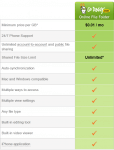
Want a better way to back up, store and share your files? I have a great deal for you over the next two weeks. GoDaddy Online File Folder is a secure, affordable way to access to all your documents, photos, music and more! This is your own online network drive, where you can back up, store, retrieve and share your data from any online computer or even your iPhone®. You can even access the files with your iPhone.

Some of the cool features

  • Share with Friends and Co-Workers
  • Store Any file Type Easily
  • Backup Files Securely
  • Access Files almost anywhere anytume
  • Seamless Integration with other GoDaddy Services

Get the Deluxe Plan for  $1.99/mo (12 months or longer)  Use my GoDaddy Promo Code “geekfile

This Special Offer Expires on October 15th, 2011. If you missed this Special check out all of my non-expiring GoDaddy Promo Codes.

Disclaimer GoDaddy is a long term Sponsor here at Geek News Central and we run periodic specials.

Flickr Releases Photo Session and Android App

Posted by Alan Buckingham at 5:17 PM on September 28, 2011

Flickr today announced two new releases – Photo Session and an app for Android devices.  While the Android app has been wanted by users for a long time, the Photo Session app came as a bit of a surprise and also a treat, especially for those who have family in far-flung locations that they want to browse photos with.

The more popular of the two releases is likely to be the Android app.  The app allows users to take pictures, edit them, and then forward them on to not just Flickr, but also other locations like Facebook and Twitter.  According to their announcement, “Browsing and navigating has been custom designed for Flickr to make use of maps, tags, and activity around your photos.”  It allows users to view comments and also go full-screen and set up and play slideshows.

Photo Session has been overshadowed in today’s news cycle thanks to anything Android being what the media takes and runs with.  It’s a cool release on it’s own though, as it allows users to view pictures, through a web browser, with friends and families who can be located anywhere in the world.  Once you create a new photo session you can send invitations to others.  In turn, you can all get together in real-time and view and discuss the shared photos.  When you move from one photo to the next it changes for all viewers in your session.

You can find the Android app in the Android Market and Photo Session at Flickr.  Both are free downloads.  Photo Session is only available in English and is still in beta.  You can see a preview video below.

New Delicious Website Looks Good, Works Different.

Posted by Jeffrey Powers at 12:47 PM on September 28, 2011
Delicious Toolbar App Broken

Old Delicious Toolbar App - Broken

I use Delicious to put together my show notes. I have the toolbar on my Chrome browser that I select and put in keywords. However, yesterday the toolbar sat on “Loading”. I first thought it was a internet connection problem, but soon found out that the new owners of Delicious have changed the website. But it broke the toolbar in doing so.

It made my show note collection a little harder to do. I ended up putting all my links in Google docs. When I called them up during the show, I didn’t get the pages, but the Google “You are being redirected” message. That meant I had to select each link redirect message.

A little about Delicious

Delicious is a bookmark cloud service. The program was on the chopping block by Yahoo! After public outcry, Yahoo! decided to sell the website. The new owners - Chad Hurley and Steve Chen saved it from extinction. But they also knew that Delicious was on Yahoo!’s list because the service wasn’t making the right amount of revenue. Therefore, it’s time for a change.

I read the GigaOm talking about losing their bookmarks. That was a case where they didn’t update their profile when told Delicious was switching servers. I remember the email on April 27th – it stated that if you didn’t update, your bookmarks will be gone. So no sympathy:

Yahoo! is excited to announce that Delicious has been acquired by the founders of YouTube, Chad Hurley and Steve Chen. As creators of the largest online video platform, Hurley and Chen have firsthand expertise enabling millions of consumers to share their experiences with the world.Delicious will become part of their new Internet company, AVOS.

To continue using Delicious, you must agree to let Yahoo! transfer your bookmarks to AVOS. After a transition period and after your bookmarks are transferred, you will be subject to the AVOS terms of service and privacy policy.
Reasons to let Yahoo! transfer your bookmarks

  • Continue uninterrupted use of Delicious.
  •  Keep your Delicious account and all your bookmarks.
  • Enjoy the same look and feel of Delicious today plus future product innovations.
What happens if you do not transfer your bookmarks
  • Delicious in its current form will be available until approximately July 2011.
  • After that, you will no longer be able to use your existing Delicious account and will not have access to your existing bookmarks or account information.

I do agree with one thing the GigaOM article stated – Delicious might not fully know how people use the service. If they don’t fix the problems quickly, they are going to lose users to StumbleUpon and Reddit. But is it about fixing problems, or educating the users with the new features?

What I Really Like about the Redesign – Stacks

new delicious bookmark tool

new delicious bookmark tool with Stacks

This is actually a really nice addition to Delicious. It lets you have a visual list of your bookmarks, rather than just links. I have options to view in list or grid mode. I can even see in video mode – which my video show can be on the top of the list. If I create a stack for each show, it becomes a new set of show notes with a visual view.

Request – Bring Back the Chrome Extension QUICK

Right now they want you to drag a link to your bookmarks toolbar. Only problem is I don’t have my bookmarks showing (The hotkey to bring up the bookmark bar is “Shift-CTRL B”). I might get used to using it that way, but if there is an easier way for me to catalog my bookmarks, I will.

With a little learning, I think I will really enjoy the new Delicious site. It’s too soon to tell, but it could also become a great reference.

Toddy Smart Cloth News

Posted by KL Tech Muse at 12:27 PM on September 28, 2011

Toddy Smart ClothSo you decided to get an iPad or perhaps a Kindle Fire, a smartphone or a tablet running Android for someone’s Christmas present or perhaps for yourself. What do all these devices have in common, a glass screen you touch. Which means after using them for about 5 minutes they are covered by finger prints. Which means you need to find a cloth to wipe them with. You don’t want to use just any cloth, even the softest cotton cloth can leave microscopic scratches. You need a microfiber cloth. You can pick up an generic one at almost anywhere, but why not get one that has style. Why not get a Toddy Smart Cloth.

The Toddy Smart Cloth has two distinct sides, one side is made of microfiber for cleaning and the other side is silk for buffing and polishing. The silk side comes in 44 prints and vibrant colors. The cloth is covered by Aegis Microbe an antimicrobial coating that prevents the spread of germs. It absorbs oils, dust and smudges, no spray needed. It is washable in cold water and tumble dry. It will be something that you will be proud to carry for years to come.

The great news that came out this week is that you can now get Toddy cloths at your local Best Buy,  Target along with Amazon and the Toddy Gear Website.  If you want to get one that is personalized with your brand, you still have to go to the Toddy Gear site. Toddy Cloths are 5×7 for $9.99 and 9×9 for $14.99. Toddy Smart Cloths are great stocking stuffers for Christmas or just pick up some for yourself.

Take Screenshots with a Non-Rooted Android

Posted by Alan Buckingham at 6:38 PM on September 27, 2011

Whenever I write an article about Android I inevitably get two questions – One, is my phone rooted?  And two, if not, how do I take screenshots?  I decided that the easiest way to answer those two questions was to write a post detailing my answers.  However, if you want really quick answers, they are 1) No, and 2) It’s easy.

There are quite a few apps available in the Android Market that allow you to take screenshots of your device, but all (at least all that I have looked at) require your phone to be rooted.  There’s nothing wrong with rooting your device, and it can allow you to do a lot of things that aren’t otherwise possible, but I had no real need for it, outside of screenshots that are necessary for my writing.

Fortunately I found a simple way around the rooting requirement, and it’s even made by the Google Android team.  If you are a developer, then you will likely already know where I am going with this, but for the other users out there, I am talking about the Android SDK (software developer kit).  You can download it from here.

Once it’s installed, click your Start menu and look for Android SDK and click on DDMS, which stands for “Dalvik Debug Manager”.  No, I don’t know what the “S” is for, so if anyone does, please chime in.

Once, DDMS is up and running, and your phone is plugged in to the computer, click on your device to highlight it.  I have found it best to plug in the device BEFORE opening DDMS, but your results may vary.

If you don’t see your device listed, then you may want to check what USB mode it is in.  Again, your experience may vary, but it seems for mine that it requires it to be set as a USB Mass Storage device.

Now, in DDMS, click “Device” and choose “Screen Capture”.  You will be presented with several options, including Refresh, Rotate, Save, Copy, and Done.  I prefer Copy, which allows me to paste it into a photo editing program for further refinement, if any is needed.

That’s actually all there is to it.  It’s very simple to set up and use, and being able to to grab your screenshots without doing what is a very scary process for many users (rooting) is what the Visa ads call “priceless”.  Of course, many users probably have no need for this type of functionality, but for those who do this should simplify the process.