Geek News: Latest Technology, Product Reviews, Gadgets and Tech Podcast News for Geeks


Today only – Amazon offering 4 TB Seagate drive for $139

Posted by Alan Buckingham at 1:56 PM on March 19, 2013

Depending on your location, you perhaps have more of the day left than I do here in the, still rather chilly, mid-Atlantic region. That’s a good thing if you are looking for your next external hard drive, because today Amazon has a one day deal for you.

The online retailer is offering the Seagate 4 TB USB 3.0 external HDD for only $139.99 — a price it touts as $100 off of the regular retail rate. Before you wonder what is wrong with the drive, I should point out that The Wirecutter’s Seamus Bellamy rated it as their favorite external drive. It also carries a four-star rating on Amazon as well.

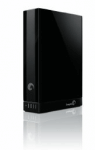
seagate 4tb drive

The retailer lists the feature set as:

  • Keep copies of your precious digital files, in case disaster strikes
  • Impressive 4 TB storage capacity
  • Save feature enables user-generated content to be backed up from your favorite social network
  • Share feature allows multiple files to be uploaded to social networks at once from your computer
  • Install the pre-loaded NTFS driver for Mac and use the drive interchangeably between PC and Mac computers without reformatting
  • Features USB 3.0 for quick data transfer rates; upgrade to Thunderbolt technology or FireWire 800 with the available additional adapter

The deal ends tonight, so if you are in the market then act now. Heck, with a deal like this, it may not hurt to grab one even if you aren’t in the market.

G-Technology G-Drive Mobile Review

Posted by Andrew at 5:05 PM on March 17, 2013

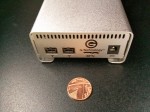
On review today is the G-Technology G-Drive Mobile, a 1 TB mobile external hard drive. Aimed squarely at the Apple MacBook crowd, the brushed aluminium finish and white LED compliments the host machine, and the combination of both USB3 and FireWire 800 show its Mac heritage. Of course the drive can be formatted for Windows or Linux use but the G-Drive is pre-formatted for HFS+ and is TimeMachine-compatible. As expected, the G-Drive is bus powered so there’s no power adaptor.

G-Drive Mobile


G-Drive Mobile Ports

The G-Drive Mobile has a couple of touches that set it apart from the other mobile drive offerings. To start with, it comes with all the cables that might be needed, so in the box there’s a USB3 cable, a FireWire 800 cable and a FireWire 400 to 800 cable. There’s no getting the box home only to find the cable need for your setup is missing.

G Drive Mobile Cables

Second, the packaging presents the G-Drive to best effect and the “Getting Started” instructions are printed on the inside  lid of the box. Again, it comes back to appealing to the Apple crowd who expect good design.

G-Drive Package

But enough of how it looks. How does it go? Pretty well actually. Connected up to USB 3, the G-Drive Mobile recorded the following data rates:

hdparm gave 107 MB/s for buffered disk reads.
dd gave write speeds around 105 MB/s.
- bonnie++ gave 104 MB/s for writes and 141 MB/s for reads.

I’m fairly sure that those figures make G-Drive Mobile the fastest USB3 unit tested, beating the previous holder by a considerable margin. Under FireWire 400, the figures were obviously slower, but are provided here for comparison.

- hdparm gave 36 MB/s for buffered disk reads.
- dd gave write speeds around 22 MB/s.
- bonnie++ gave 22 MB/s for writes and 55 MB/s for reads.

Price-wise, the model here costs £129.95 but if you want USB3 only, there’s a much sleeker and cheaper version at £109.95 in the Apple store. However, if you need FireWire with USB3, the model viewed above is hard to beat, giving historical compatibility with older gear while also offering fast data transfers on newer kit.

Thanks to G-Technology for providing the G-Drive Mobile to review.

HyperDrive Shop

Posted by KL Tech Muse at 10:50 AM on February 23, 2013

HypershopHypershop introduced several products that allow you to connect wirelessly to an attach device even if you have no internet connection. The iUSBport has its own router with it’s own SSID . The batteries last about 8 hours on a charge. It has two USB ports. The content on any attached device such as a USB hard drive becomes available wirelessly to an iPad, iPhone, Android device or any Wi-fi enabled device. Can stream up to three different movies to three different devices at a time. You don’t even have to be connected to the internet. The  iUSB Port HD is like the iUSBport but it has a hard drive within the enclosure. You can install your own or Hypershop can install one up front for you. It can handle up to a 2TB drive. Hypershop also introduced a 64GB flash drive which can be plugged into a computer and then connect wirelessly to the computer.

All these devices will be available in March the iUSBport will be $149.95. The iUSB Port HD will be $159.95 for a blank case with no hard drive enclosed and the 64GB flash drive is $64.95. All these devices would be great for families who travel a lot in the car, photographers or anyone who wants the ability to stream videos, documents, music on one device to their favorite mobile gadget.

Interview by Jeffrey Powers of Geekazine, and by Scott Ertz of F5 Live.

Sponsored by:
On new orders get 35% Off your GoDaddy Order use Promo Code:go35off2
GoDaddy Promo Codes always save you money, check out my Promo Codes Today

PlayPlay

A Hard Disk Designed to Last Millions of Years

Posted by Alan Buckingham at 10:30 AM on July 14, 2012

Traditional hard drives can last anywhere from a few months to a few years, with the latter being more likely.  SSD’s can last longer thanks to their lack of moving parts, but they still probably aren’t something you would want to include in a time capsule.  Now researchers in France are working on a drive that they hope will last as much as 10 million years.

The sapphire “hard disk” prototype has been created by ANDRA, the French nuclear waste management agency.  The disk, which is one of a kind, cost $25,000 to make, and stores information with platinum-based etchings.  The reason for this?  To warn future generations of nuclear waste buried in the ground.

The data stored on the sapphire disk contains 40,000 miniaturized (not digital) pages, and the only thing future archaeologists will need to read them will be a microscope.  ANDRA researchers tested the disk’s durability by immersing it in acid to simulate the ageing process.  The disk should last at least 1 million years, the researchers stated.  In fact, they hope to prove a durability of 10 million years very soon.

Source: Science Now

Image: Hard Drive by BigStock

Upgrading My NAS…Yawn

Posted by Andrew at 12:33 AM on June 11, 2012

Hard DriveLast weekend, I upgraded my NAS from 2 TB to 4 TB and it was all too easy. The NAS is a Buffalo LinkStation Duo but as the drives are mirrored, I only get half the total 2 TB capacity, i.e. 1 TB. I was getting pretty close to having the full terabyte of data on the unit, so I decided it was time for a storage upgrade. However, the last time I upgraded another model of NAS, it involved much chicanery and re-installing of firmwire via USB, so I proceed with trepidation.

Not so this time. It was mostly lots of waiting interspersed with a few minutes of activity, followed by first time success. Disappointingly little geekery was required.

Step 1. Buy a pair of SATA 2 TB hard-drive. The LinkStation already had Seagate drives installed, so I played it safe and bought some Seagate Barracuda drives. Wait a couple of days for drives to arrive in post…

Step 2. Backup the data from the NAS to an external USB drive. My favourite tool for this is rsync because it simply copies files (no archives or zip files) and you can stop and start the backup as you like. You can even keep using the NAS up until the last minute before running one final rsync to copy the latest changes over. Leave the backup to run overnight…

Step 3. Shutdown the LinkStation via the web interface.

Step 4. Remove hard drives, insert new ones.

Step 5. Power up the Linkstation and log on via the web interface.

Step 6. Format drives in turn. Configure as RAID 1. Wait for best part of a day while array synchronises….

Step 7. Restore data from external USB hard drive. Leave to run overnight….

Step 8. Job done!

It was pleasantly straightforward to upgrade the NAS and a big change from the last occasion I had to swap a disk. For sure it takes a couple of days to do the swap, but the time is spent shuffling data around, not actually working on the unit. Definitely a recommended upgrade.

[Disclosure: this is my personal NAS and not a review unit.]

WD TV Live at The Gadget Show Live

Posted by Andrew at 12:27 AM on April 23, 2012

WD TV LiveWestern Digital’s TV Live series of media players has been around for a couple of years and they’ve gained a sizeable following with over 3.5 million devices sold. The 3rd generation WD TV Live has been released recently and Daniel Mauerhofer was kind enough to give me an interview at The Gadget Show Live.

The new WD TV Live model introduces wi-fi connectivity which was absent on the previous model and it’s now been localised for the UK market with the inclusion of iPlayer and Spotify. Coming in two models, one without an internal hard drive (£99), which is available now, and a second which will have a 1 TB drive and will be available later in the year (approx. £129).

As ever, there’s a complementary remote control app for Android and iOS devices, which looks pretty useful; it’s certainly more than just a button-for-button replacement of the IR remote control.

My personal pet peeve in this area was that media players seemed either play from the local network or stream from the Internet but it was a rare device that could do both. The WD TV Live does both so it’s a thumbs up from me.

Rocstor AES 256-bit Enctypted Hard Drive

Posted by Alan Buckingham at 11:59 AM on February 26, 2012

Rocstor has unveiled a new portable external hard drive that practically guarantees that your data won’t be stolen.  The hard drive, which comes in capacities up to 1 TB, has a slot for a smart card.  Enter the card, punch in your code (which you choose), and you unlock the drive and all of the data you have stored on it.  The drives are FIP certified and ship with multiple cards.  For users that need additional cards, they can be purchased blank and inserted into a unit to be programmed to work with it.  PIN Numbers can be changed an unlimited number of times as well.

These hard drives are probably not for average consumers, but more for business and government.  They are designed to protect highly-sensitive data and eliminate those stories that are always in the news these days about stolen laptops filled with account and credit card information.  The drives retail in the $400-600 range and are available now from Rocstor.

Interview by Todd Cochrane of Geek News Central for the TechPodcast Network.

Sponsored by:
On new orders get 35% Off your GoDaddy Order use Promo Code:go35off2
GoDaddy Promo Codes always save you money, check out my Promo Codes Today

PlayPlay

Kingston HyperX SSD

Posted by Alan Buckingham at 11:22 PM on January 22, 2012

Kingston is known for their memory, but now they are branching out into the world of hard drives and, more specifically, solid state hard drives, or SSD’s as they are commonly referred to.   The HyperX is the top of the Kingston line when it comes to this technology.  The SSD is a much-hyped technology that has remained a dream for most consumers because of their price-point, but they are starting to come down into the realm of the affordable, although still top-end, drives. The SSD provides much faster speed than the traditional HDD, plus they are much smaller in size, which is driving the new Ultrabook craze, which was also capturing  the media at this year’s CES.

The new HyperX comes with an external drive bay that you can plug into your computer and software to clone you current drive to get you started without any down time.  The new Kingston drive may still be out of reach for the average user, but that’s okay, because they know it’s for the enthusiast, who knows how to get inside a PC and change out hardware, clone drives, and use all of the hardware and tools that come along with a project such as this.

Currently for the 120 GB version seen in the video below the price is coming in at a little over $200.  To find out more be sure to check out the video and visit Kingston.

Interview by Todd Cochrane of Geek News Central for the TechPodcast Network.

Sponsored by:
On new orders get 35% Off your GoDaddy Order use Promo Code:go35off2
GoDaddy Promo Codes always save you money, check out my Promo Codes Today

PlayPlay

Verbatim SSD Drives

Posted by KL Tech Muse at 6:22 PM on January 9, 2012

Verbatim One of the categories that you will see a lot of at CES 2012 are Solid State Drives (SSD). With the price of regular hard drives going up due to the flooding in Thailand. (Although the price of standard hard drives seem to be going back down at this time.)  As SSD drives becoming more reasonably priced they increase in popularity among consumers. Verbatim a leader in the data storage business since 1969 will be introducing some new SSDs at CES 2012. They will be introducing both new SATA II and SATA III drives. They will be bundled with NTI Echo smart cloning software which will allow an individual to copy their entire hard drive including operating system without having to reinstall drivers. It is simple to use and secure helping to eliminating the lost of data. There will also be a casing included that will allow you to convert your current internal drive into an external drive for extra storage. Also available will be a 3.5 bay adapter which will allow a desktop computer to be updated also.

What makes the Verbatim SSD drives special is the fact they have no moving parts are shock resistance and run silently.  The SATA II SSD comes in 64GB, 128GB and 256GB. They have read speeds up to 270MB per second and write speeds up to 225MB per second. SATA III drives can reach both read and write speeds up to 500MB per second. SATA III drives use Sandforce 2281 controller. Garbage collection algorithms which help to maintain stability and reliability. There is also have advance wear leveling. The SATA III drives come in 120 GB, 240GB and 480GB capabilities. These drives will work with Window 7, Window XP, Mac OX 10.4 and greater and Linux 2.4.0 and higher. Verbatim will be showing off these drives and other products at Booth MP25374 in the South Hall at CES 2012.

OWC Mercury SSD Drives

Posted by KL Tech Muse at 11:27 AM on January 7, 2012

OWC Mercury DriveOther World Computing (OWC) will be introducing their newest Solid State Drive (SSD) line called Mercury Extreme. It is 3G with a combination of Sandforce Dura Class technology and Tier 1/Grade A NAND. Tier 1 (Grade A) is the top of line chips and are laser etched with a serial number. This combination produces data rates over 275MB. It is reliable and relatively noiseless. It has near bus saturation speed. Unlike regular SSD where the write speed tends to slow down after regular and constant use, OWC Mercury Extreme SSD drives do not. They use Block Management and Wear technology instead of the traditional OS Trim Management to help prevent that slow down. MacPerformance confirmed that Mercury SSD removes almost all slow down in data speed over time. The Sandforce Dura Class Technology also offers 100x the data protectin compared to ordinary SSD. They do this by the combination of 7 percent over provisioning, the highest level or error correction and Sandforce Raise (Redundant Array of Independent Silicon Elements).

You can get a 30 GB drive starting at $67.99 MSRP. It is available through OWC and selected retailers. There is a 30 day risk free guarantee and 24/7 live chat support. The drives are compatibility with any desktop or external drive that uses 2.5” drives. You can also get adapters for as low as $3.00, which allow 2.5” drives to be placed in 3.5” bays. OWC Mercury SSD are available with a capacities from 30GB up to 480GB starting at $67.99. OWC will be showing off these hard drives and more at CES in the North hall at Booth 5231.