Geek News Central is the technical site for Geeks. We Spin tech for the common man. With a Family of Tech Shows and Content.


Griffin Gets Gadgets On The Go

Posted by Andrew at 1:35 AM on January 13, 2012

Griffin has a great range of accessories for all kinds of smartphones, MP3 players and tablets, so it’s no surprise that they’ve a few additions to their product range here at CES. This year they’re announcing a two in-car mounts, some power solutions and a mount for air travellers.

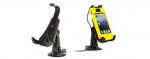
First up, if you have a car that has an aux port (3.5 mm socket), then the WindowsSeat 3 Handsfree is the windshield or dashboard mount for your vehicle. It comes with combined aux cable and microphone that that can be used to make handsfree phone calls and stream music/navigation commands through the car speakers. WindowSeat’s mounting cradle holds iPods or iPhones in most shell- or skin-type cases, as well as a similar sized MP3 players and smartphones, including popular models from BlackBerry, HTC, Motorola, and Samsung. Price is $39.99 and available now.

Griffin AirCurve

If you don’t have  an aux jack, the AirCurve Window Mount is the alternative. This windshield mount is designed as an acoustic amplifier which can raise the volume by as much as 25 dB without any batteries or cables. Designed for the iPhone 4 / 4S, simply put the smartphone in speakerphone mode and chat away. Price is also $39.99 and available now.

Griffin’s PowerBlock range has been updated with new models –  PowerBlock Reserve, $59.99, a wall charger for iPod and iPhone that can be plugged into any AC wall outlet to provide a quick boost of power that also has a built-in rechargeable 2,000 mAh lithium-ion battery pack for charging on the go. The PowerBlock Reserve Universal, $49.99, is the same concept but quickly charges any USB device. Both models charge their own batteries at the same time they’re charging connected devices, which is often not the case with competing models. A row of LEDs serve as a power gauge, indicating how much charge is left.

Finally, Griffin is bringing a new product to the market in Q2 of 2012 with a Tray Table Latch Mount. Specifically for the air and rail traveller, the mount is designed to be compatible with 90% of the world’s airline and commuter rail tray table latches and holds your eReader, tablet or smartphone at eye level for comfortable viewing. Very handy.

Pop round to Griffin in North Hall, Booth 5212 at CES 2012 in Las Vegas to see all their latest goodies or you can checked out the dedicated CES section of their website.

Android Causing WiFi Router Lockups

Posted by tomwiles at 12:38 AM on January 3, 2012

I’ve had an Android phone for about a year and a half (the HTC Evo from Sprint) but primarily because of battery use issues I’ve never used it on my home WiFi network.

In the interim, a few months ago I purchased a Barnes & Noble Nook Color, which runs a custom version of Android. I’ve also experimented with dual-booting the Nook with CyanogenMod 7, an open-source version of Android. When I dual-boot into CyanogenMod 7 and connect to my Apple Airport Extreme router, the router will loose Internet connectivity after only a few minutes, requiring me to cycle the router’s power off and back on to restore connectivity.

Now that I’ve been able to install the authorized version of Netflix onto the Nook after Barnes and Noble’s latest Nook OS update, I tried running Netflix on the Nook on my home network. After watching video for 15 or more minutes, my Apple router loses Internet connectivity.

My youngest brother has a newer HTC Android phone, and after he connected to my local WiFi network almost immediately the Apple router lost connectivity. It happened so frequently at one point that I was beginning to think the router was dying.

However, after futher experimentation I’ve determined that if I don’t connect any Android devices to my WiFi, the router seems to work as flawlessly as ever.

Time to check Mr. Google. Using the Google-suggested search term “android crashes router” (the term pops up immediately after I start typing “android cras   “ so I know plenty of other people are looking for a solution) 4,730,000 results come up. After reading through a number of posts by people experiencing the same issue, I have yet to come up with a definitive answer. What is it about a variety of versions of Android connecting to WiFi that is causing many different brands of routers to lose Internet connectivity? The problem is by no means an Apple Router/Android WiFi incompatibility – it therefore seems more likely an issue with Android itself, or at least certain Android builds.

The suggested fixes range from people suggesting that they try to update their router’s firmware to trying to confine the router to Wireless “G” only.

Ironically my HTC Evo phone can also be used as a WiFi hotspot. I can connect any Android device to the Evo’s WiFi hotspot feature and transfer all the data I want without issue. In other words, Android cannot cause my Android phone’s hotspot feature to lose Internet connectivity.

It would be logical to assume that this problem is an Android software issue. The problem seems inconsistent, most probably because of the patchwork-quilt variety of Android hardware and custom OS builds.

So far, the problem hasn’t even seemed to be officially acknowledged as an issue. I suspect that bad Android battery life has prevented a lot of people from trying to connect their Android phones to their home networks via WiFi, so mass numbers of people likely haven’t experienced the potential WiFi router crashing problem.

Of the people that do connect their phones to home WiFi routers, some people never have a problem, while others are constantly plagued by it.

Android crashing WiFi routers is enough to cause me to veer away from future Android devices, unless and until the problem is solved. Phase one of the chaos of the Windows desktop has spread to smartphones.

Welcome to the new Windows fractal – it’s name is Android.

I Feel Stupid

Posted by Andrew at 7:25 AM on December 28, 2011

Windows Phone 7Over the break, there’s been a bit of discussion by some of the big names regarding the reasons why Windows Phone 7 handsets haven’t been flying off the shelves this holiday season. Charlie Kindel started the debate with “Windows Phone is Superior; Why Hasn’t It Taken Off?” and largely faults the relationship between the OEMs, Microsoft and the carriers.

MG Siegler responded with a fairly weak response largely citing the mantra of “too late and not enough apps” but as can be seen from today’s news of 50,000 apps in the Windows Phone Marketplace, the latter argument really isn’t that valid.

As usual, Robert Scoble hits the nail on the head. People buy Android or iOS because it’s a safe bet and they don’t want to look stupid or uncool by buying something else. Microsoft Windows Phone 7 and RIM’s Blackberries simply don’t have the gold-plated appeal of a sure-thing.

And he’s right. I was a big Palm fan and look how that turned out. I do feel stupid. After spending years waiting for Palm to move from PalmOS to WebOS and then HP promising to do big things. I bought in with a succession of Pre phones and pre-ordered a TouchPad. Maybe I shouldn’t be so shallow and have a less of an ego, because WebOS is a great operating system and even with the smaller app selection, it does 99% of what I need a phone to do. But when everyone else is, “Have you got this app and that app” on their Galaxy S IIs and iPhone 4Ss, you do feel a bit of a chump.

So thanks, HP. I feel stupid.

Boost Smartphone Battery Life

Posted by Andrew at 5:33 AM on December 22, 2011

Mugen Power Batteries LogoToday’s smartphones are energy-sucking devices that can rarely go for a day or two without charging. I fondly remember my Nokia 6210 that could go a business week without needing a charge, but enough of the reminiscing.

If you do have a thirsty smartphone (or you get one for Christmas) and you find that the battery lets you down, you might be interested in Mugen Power Batteries, suppliers of replacement batteries for smartphones and other devices. Typically, a Mugen battery will offer an extra 10%-25% over the OEM battery of the same size. Take the battery for the HTC Wildfire S - the OEM is 1250 mAh but the Mugen version is 1500 mAh, giving an extra 22% more juice.

If you really need much more power, Mugen also sells batteries so big that you need a new back cover to fit it in. For the Samsung Galaxy S II, Mugen offers a 3200 mAh battery which nearly doubles the energy of the stock battery (1650 mAh), but the battery size increases too and a new back cover is needed. If you value talk time over aesthetics, it’s the only way to go.

Even Apple products are catered for, though as the iPhones et al don’t have user-replaceable batteries, the additional power has to come from an external unit.

Mugen are fairly well-known if you follow any of the main smartphone forums, and there are other vendors out there, but they seem to have the widest range with a good reputation, so if you need more power for your smartphone, check them out.

Android Leads UK Smartphone Race

Posted by Andrew at 1:40 PM on November 1, 2011

Android LogoIn the UK, Android is beginning to dominate the smartphone space, with 50% of handsets sold in the last quarter running Android. RIM (Blackberry) and Apple are almost level pegging on 22% and 18% and with half of UK adults now owning a smartphone, Android has an impressive lead.

Breaking the Android figures down, HTC is the top dog, with nearly 45% of Android handsets sold. Samsung is picking up the pace at 38% but Sony Ericsson is the big loser, falling to 8.5% of the Android market.

Surprisingly, this means that HTC, Samsung, RIM and Apple are each taking about a quarter of the market. Compared with mindshare that Apple generally has and the dominance in the tablet market, it’s clear that the iPhone is under performing.

Personally, I would agree with the figures. Looking round the office, Android phones are definitely in the majority followed by iPhones and Blackberries. I think Blackberries are popular with younger people as both my nephews have that brand of phone. The breakdown of the Android shares also rings true. This time last year, it would have been exclusively HTC smartphones but now there are quite a few people sporting Samsung devices.

The research was carried out by Kantar Worldpanel ComTech over the past 12 weeks. To be fair, this probably means that iPhone sales were down as people waited for new model but there’s no doubt that Android is the no.1 smartphone OS in the UK.


Laza HTC Evo 4G Extended Alternative Battery

Posted by tomwiles at 8:31 AM on September 8, 2011

Phones come and phones go. Our expectations change. Technology marches forward – well most of the time, except when it comes to the bane of wireless pocket tech – battery life.

I’ve had my Sprint HTC Evo 4G phone for more than a year at this point and I’m still very satisfied with its overall feature set as well as it’s performance. The big ongoing problem has been battery life. With the stock battery that came with the phone I have been lucky to get 5 hours out of it just on standby, perhaps extending that a bit by turning off automatic data synching. The original Evo 4G eats battery power like crazy. I knew this would be an issue going in, but unlike a lot of people I can keep my phone plugged into external power most of the time I’m in my truck, so the power devour issue mostly doesn’t cause me too much trouble. In all fairness, turning off data completely in the settings would vastly extend the Evo’s standby time, but this defeats the purpose of having a super smartphone.

There are times when the phone has to be running on it’s internal battery, and I need extra battery life. I got to searching for alternative Evo batteries on Amazon.Com, and I ended up purchasing this Laza HTC Evo 4G 3500mAh Extended Battery + Cover for along with Laza Sprint HTC Evo 4G Extended Battery Silicone Case Black. I was able to get both of these items along with three extra screen covers for $22.54 from Amazon, a real bargain compared to pricey alternative, less-capable batteries sold by Best Buy or Sprint.

The replacement battery is thicker, and therefore the new back is needed to accommodate the extra battery thickness. It makes the phone thicker, hence the need for the alternative extended battery silicone case.

As previously stated, it does make the Evo 4G thicker than before, but even with the extra girth it still easily fits into my pants pocket.

The new battery does vastly increase the phone’s standby time. In normal use it would probably last me all day. Of course, I’m not a normal user – most of the time the Sprint WiFi Hotspot feature is turned on and the phone is paired with my iPod and frequently with my Macbook Pro. Using the phone as a WiFi hotspot I can probably get about 5 to 6 hours of heavy data usage before pushing Android into automatic shutdown. Overall, I love my Evo 4G and would still buy one today were I in need of a new phone.

Laza also sells a variety of extended batteries, backs and accommodating cases in a variety of colors for other Android phone models – simply search Amazon for “Laza.”

If you want extra battery life from your Evo 4G, I recommend checking out Laza.

HTC Gratia Hands-On Review

Posted by Andrew at 5:20 PM on May 31, 2011

As a mid-tier offering, the HTC Gratia doesn’t appear to get the same notice as the Sensations, Desires and Incredibles, which is a shame because it’s a good phone and will suit those who want a small Android phone but don’t have the cash for a top-end device. If you haven’t heard of the Gratia before and you live in the US, that’s because over there it’s known as the Aria. It’s largely the same device.

To get the specs out of the way, it’s an Android 2.2 device with a 3.2″ 320 x 480 touchscreen. Weights in at 115 g and measures 58 mm wide, 104 mm tall and 12 mm thick. All the expected radios and gadgets – 3G, wifi (b/g), bluetooth, GPS, compass, 5 MP camera, microSD expansion slot – the full specs are on HTC’s site (though it lists the Android version as 2.1).

As you’ll see from the pictures below, the review model had a white plastic back that had a slightly matt finish to it. The phone felt comfortable in the hand and the detail of the extra screws on the back gave the Gratia an “industrial” edge, which I liked. I didn’t try to find out if the screws actually held anything together or were only for effect.

Taking the back off reveals the SIM slot, the microSD slot and the battery. At the bottom left, the two contacts are for aerials that were embedded into the back cover. The micro USB connector is in the middle. The back covers the sides, top and bottom as well.

Side on, there’s a sense of the shape and how it feels in the hand. It’s not a thin phone, but it’s not a fat one either.  It’s comfortable. As with most devices, there’s a little bit of bevelling to make it feel thinner than it really is.

Enough on the physical, what’s it like to use as a phone? Unsurprisingly, it’s much like every other HTC Android 2.2 phone. It comes with the HTC Sense enhancements and there did seem to be a few little extra launcher customisations that I hadn’t seen before. Unfortunately, I didn’t have another phone handy to compare and they may simply be incremental updates that went along with 2.2.

Generally, the phone was responsive using both the touchscreen and the trackpad. Animations were smooth and scrolling up and down lists was good. The usual slew of apps was present and the Gratia has access to the Android Market if you need more. Audio and video playback was fine with no glitches or jerkiness on the files I tried. Some other reviews said the Gratia was “underpowered” but I can’t really say that performance was an issue, though I’m not a big game player which seems to be the focus of the issue. And of course, if you do have lots of apps open, it will begin to slow down.

Setting up apps with accounts to access email, Facebook, Twitter, etc. was all by the numbers, as it were. I was up and running with the Gratia within minutes of turning the phone on.

Battery life was ok – I got a day’s worth of work out of it with some to spare and that’s with a bit of email, bit of surfing, bit of music listening. A typical day as far as I was concerned, but the Gratia will need recharged overnight for the next day.

Pricewise, off-contract the Gratia is generally available around £275 with the best prices being close to £250. I was unable to find any UK mobile telco carrying the Gratia at present so I can’t comment on contract prices.

Overall, this a fine mid-range smartphone at a fair price. There’s plenty to recommend and not too much to complain about. For someone looking for an Android 2.2 phone that’s not going to break the bank off-contract, this is a good choice.

Thanks to HTC for the loan of the Gratia.

HTC Dual USB Car Charger

Posted by Alan Buckingham at 5:42 PM on May 19, 2011

If you spend a lot of time in your car and frequently need to charge your devices there then HTC has a cool little gadget for you.  The HTC Car Charger plugs into your vehicle’s 12v outlet and outputs two standard USB charging ports.  It also comes with a coiled USB / mini-USB cord.  However it can be used with any standard USB / mini-USB cord, such as the one that comes with pretty much all phones these days.  It also claims it can us “intelligent variable rate charging prevents overcharging your battery.”

It’s official rated for HTC devices including: HTC Desire S, Sensation, EVO View 4G, Flyer, Droid Incredible 2, Droid Incredible S, EVO 3D, Inspire 4G, Thunderbolt, EVO Shift 4G, Merge, Wildfire, Desire Z, Desire HD, Aria, Desire, Evo 4G, Droid Incredible / Nexus One, T-Mobile G2, T-Mobile myTouch Slide.  However, any phone that charges in this method will work just fine with this device.

It retails for $19.95 over at the Andoid Central store, but if you search around online then you may be able to find a better deal.  In fact, that’s exacly what I am going to be doing this evening.

TechNet Live Tour: Cloud for IT Pros

Posted by Andrew at 9:31 AM on April 7, 2011

Microsoft’s TechNet Live Tour is giving a half day seminar on the cloud and what it means for the IT professional. I’ve been invited along so, for a change, I’m going to try a bit of a “live blog” approach, just typing as I go. It’s going to cover Windows Intune, Small Business Server 2011, Office 365, Dynamics CRM 2011, Azure, Windows Phone 7 and IE9.  Could be a long afternoon.

The event opens with a keynote on the Cloud for IT Pros given by Dave Northey. The cloud and the consumerisation of IT are the big impacts of now and Dave will cover them both. Dave suggests that business led technology a decade ago. But today consumers lead. The average home PC is more powerful than work PCs. Most consumers use Windows 7, yet XP is still used extensively in business.

The three big cloud providers are Microsoft, Amazon and Google, with room for a fourth. Cloud computing is Internet-based computing whereby shared resources, software and information are provided to computers and other devices on-demand like the electricity grid – Wikipedia.

Cloud Data Centre
Shared resources – stability, security, reliability, QoS, SLAs

On-Demand – pay as you go, no upfront investment, instant access, scale, no money wasted when projects fail

Public Cloud v Private Cloud
Private cloud uses own data centre. Control over data but less scale.

Regardless aim is for capacity to follow demand. What workload patterns are suitable for cloud?
- On and off, e.g. Batch jobs, video transcoding
- Growing fast, e.g. Unexpectedly successful services
- Unpredictable bursting, e.g. Spikes caused by natural disasters
- Predictable bursting, e.g. End of month for finance.

Type of cloud services
- Software as a Service (SaaS) for users
- Platform as a Service (PaaS) for developers
- Infrastruce as a Service (IaaS) for IT

Datacentre evolution
- Traditional datacentre
- Virtualised datacentre
- On premises private cloud
- Off premises cloud
Virtualisation was a pre-requisite for the cloud.

The private cloud is virtualisation plus self-service, scalability and automation.

Azure is Ms’ platform as a service. It’s a developer offering linked into Visual Studio, .net, PHP and so on. Three components – Azure AppFabric for access control and comms, SQL Azure for database, Windows Azure for compute and storage.

Dave then gives a demo of some of the features of Azure including simply connecting to a folder stored in the cloud but the most impressive part was the management of all the virtual machines. In the (short) demo, a cloud-based server was provisioned with web services.

Cloud services are coming, with private clouds first followed by the move to the public cloud.

Ooh, they’ve announced a Surface device is here.

Surface1

Surface2

Surface3

Surface4

Dave also gave an inpromptu demo of Windows Phone 7 which was as much a selection of soundbites as it was a demo.
- Microsoft expects to be #2 behind Android and ahead of iPhone.
- Multiple forms factors from HTC and Nokia who make over 100 million phones per year.
- It’s a consumer device first
- Marketplace will have quality, tested apps.
- Try before you buy option available to all developers but only one version required – that’s clever.
- Average app lifetime, i.e. Find, download, try, delete is 5 mins.
- Expected that a developer wil earn 10 times as much from Windows Phone app as from iPhone.

Next up was Office 365 by Patrick Herlihy.

Office 365 is the new Software as a Service offering which includes Office, Exchange Online, Sharepoint Online and Lync Online.

Office licensed on a pay as you go per user. Full and latest version of Office. Lync will offer IM, presence and web conference from the start. Voice will arrive later.

Different licensing options for different types of users, e.g. Kiosk worker for basic options, Information worker for more. There are lots of different licensing options depending on your organisations need.

The process to moving to the cloud and using Office 365 goes through standardisation, deployment, service change and includes privacy & security considerations. In particular, most ActiveDirectories will need a good tidy.

Regarding sign on, there are two options – Ms Online IDs or new Federated IDs which allow single sign-on from existing credentials. The latter will need an internal deployment of ADFS.

DirSync synchronises the organisation’s internal ActiveDirectory with the version hosted in the cloud for Office 365. This is needed to keep online permissions etc in step with the organisation.

Exchange Online can co-exist with in-house Exchange and there are tools to move mailboxes between the two systems.

Patrick gave a quick on-line demo of the product. The on-line versions were all very similar to their Windows-based equivalent. Firefix, Safari and IE are all supported. The management tools were comprehensive as well.

The public beta of Office 365 is available now.

Patrick continued to Microsoft’s Intune, a cloud-based PC management service. It offers malware protection, alert monitoring, patch management, software and hardware inventories and remote assistance / desktop sharing. He then gave a demo of the system and it was competent enough. I could certainly see it replacing a number of separate tools. However you got the feeling that it was version 1 and version 2 would be much better. Probably best suited to SMEs with hundreds of PCs rather than thousands.

As proceeds were running late, I had to leave, missing some of the subsequent sessions. But I’ll be back…

Overall, a useful introduction to Microsoft’s vision of a cloud-based future.


Movies & Documentaries On iOS Devices

Posted by tomwiles at 9:13 PM on February 16, 2011

Since getting the latest version of the 32 gigabyte iPod Touch a couple of months back, one of the uses that has surprised me has been late-night movie-watching after I’ve gone to bed but am not yet drowsy enough to go to sleep. The iPod Touch works extremely well for this task. I am able to pair the iPod to my Sprint HTC Evo’s WiFi hotspot feature and generally get very good Internet connectivity.

By far, Netflix is the best on-demand movie service available. Netflix has the most and best content available. The Netflix app for iPod/iPhone works great. It gives me the most relevant features of the full Netflix service in a tidy little package. So far, I’ve watched dozens of movies right on my iPod.

But are there other iPod/iPhone movie and documentary apps available? It turns out there are, though the quality can vary tremendously. One of them is called “NFB Films” which is an app created by the National Film Board of Canada. You can watch over 1,000 movies, including documentaries, animations and trailers.

Another app is called “Big Star TV.” The app itself is free to install, but if you wish to watch any content, like with Netflix, you have to pay a monthly fee. Big Star’s movies don’t seem to be up to the high quality level of Netflix.

B-Movies is a free app that presents Internet Archive (www.archive.org) films in an organized, easy-to-use format. It should be noted B-Movies is not associated or a part of the Internet Archive. Among other things, the Internet Archive contains an incredibly rich and diverse set of older classic corporate, school and government documentaries.

Apart from these choices of course is YouTube. Certainly YouTube has a tremendous amount of content, but therein lies the rub: there’s so much YouTube content, it makes it difficult for any single app to categorize, let alone try to catalog what’s available. With YouTube it’s best to simply search on a keyword or phrase that interests you and then start surfing.

The promise of the future that was held up when I was a kid has in many ways arrived, but as always there remains a lot of room for improvement.