Geek News Central is the technical site for Geeks. We Spin tech for the common man. With a Family of Tech Shows and Content.


Moving from Windows Media Center to Linux Media Center

Posted by Alan Buckingham at 4:34 PM on November 13, 2011

When I first decided to put a computer in my home theater cabinet I wasn’t sure how much we would really use it.  After all, I wasn’t ready to give up DirecTV so I wasn’t concerned with the DVR functionality because there is no DirecTV tuner available.  What I wanted was to have all of our photographs viewable on the TV, our music (almost 100 GB) to be playable through our receiver and speakers, and our DVD’s to be ripped and placed in an easier-to-access location than a drawer.

Consequently, I bought a cheap used desktop (as in non-tower case) computer off of Ebay.  My first goal was price and my second was something that would sit on a shelf in the cabinet with the HD DVR, receiver, and the like.  Because I wasn’t sure how much we would use it, I went cheap – a Pentium 4 processor system.  I did some back-end upgrades when I received it – I added RAM and upgraded the video and sound cards to give it SPDIF audio out and DVI video out.  This got the video and audio into the A/V receiver via a SPDIF cable and a DVI to HDMI cable.  The system has been solid for two years running Windows 7 Ultimate, with Media Center set to open on Startup.  I have customized the software also – Media Center Studio is great for tweaking the WMC interface, and MyMovies is a much better DVD library than WMC’s built-in library.

The computer is now outdated – okay, maybe it was when I bought it – and we use it EVERY day.  I am faced with two options – buy a new computer or scale back the load on the existing one.  In the long run, I will be buying a new PC.  In the short term, however, I am considering scaling back the software – not the functionality, just the processor and memory intensive parts of it.  In fact, I will be adding functionality while my computer does less work to run it.

I stumbled on Linux Media Center a couple of years ago and was intrigued by it, but never took the plunge.  Since then I have checked back with their website periodically and watched it evolve.  I have marveled at the functionality it brings that isn’t present in Windows Media Center.  There’s control of the home security system, home automation, telephones, and more.  Sure, some of that can be added to Windows Media Center, but it’s added – not built-in.  And, in some cases, it will cost you.  Linux Media Center also comes with mobile apps for smartphone and tablet use, while WMC doesn’t.  There are unofficial WMC apps, like the MyRemote for Android, which I use, it’s not quite the same as a full-featured, fully-integrated app.

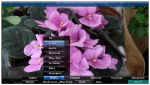
So, I am now contemplating taking that plunge that I have so long considered.  Over the next few days I will install Linux Media Center and will begin exploring and writing about what I encounter and what I like and don’t like.  In the meantime, I have posted a couple of random screenshots below and if you want more information, you can visit LinuxMCE.com.

Plex on the Roku

Posted by KL Tech Muse at 5:06 PM on May 3, 2011

Plex is now on the Roku. If you follow me on Geeknews Central you know that I have a Roku XD|S and that I liked everything about it, except you couldn’t easily stream media from your internal network. There were ways but, they were complicated and unreliable. Well Plex just saved me $100 (the cost of an Apple TV). If you aren’t familiar with Plex it is a fork of XBMC and one of the best way to view your media on a Mac. I actually prefer it over Boxee for watching video. Boxee does have more channels and sharing options that Plex does not have, however I like the Plex UI better. Plus Plex is available on multiple devices, including all OS devices, Mac, PC and Android devices.  It is how I consume most of my media on my Mac and my iPad, including stuff I download from the itunes Store or from Amazon.

Well, this morning I woke up to a post on my feeds, that Plex had been added to the Roku. It is still in beta so you have to add it as a private channel. You do have to have the Plex media server running on a computer on the same network for this too work, Mac or PC, (sorry Linux) . Once you have added it to your Roku channel listing it will stream media that is on your Plex server. Right now it is only streaming video, but according to the Plex blog music and images are coming soon. When you first add Plex it does take sometime to update, so be patient. Once it updates it works fine. I finally have everything I want for now on my chosen media device the Roku XD|S. This makes me very happy, I hope that the Plex team continues to improve on this application. I think this is good for both Plex and Roku.


Microsoft Kinected Technologies Evening for Techsumers

Posted by Andrew at 11:50 AM on April 7, 2011

Back with Microsoft for a more consumer oriented evening. This time it’s going to be Windows Media Centre, Home Server, Xbox, Kinect and more on the phones.

First up is Microsoft Home Server 2011 – every house should have one. As standard it’s a media server, dishing out photos, music and videos. Usual DLNA stuff.

Microsoft provides a remote site which in turn can connect to the home server across the Internet. Great if you travel and you need to get at your stuff.

But when you are at home, any PC can connect to the Home Server to configure. Normally the Windows Server works headlessly i.e. without a monitor, so this is how the Server is manager.

Great news – the Drive Extender feature is going to return in 2011 courtesy of a community plug-in which appears to be endorsed by Microsoft.

Not sure if this new news, but they’re saying here that a Nokia running Windows Phone 7 will be out before Christmas, perhaps in October.

A quick demo now using Sonos to play music.

Now it’s the turn of the Xbox and Kinect. He’s playing Kinect Sports. Everything’s been done waving his hand. Ok so it’s a game but the possibilities are there in say, sterile environments. No touch, no cross-infection.

They’re now showing off a Kinect controlling the cursor on a PC instead of a mouse. Flicking through a Powerpoint presentation with your hands rather than a controller.

A video of win&i is being shown – it’s a product from a German company which shows the Kinect interacting with various apps including Media Center and Google Earth.

Microsoft sees Kinect being built directly in TVs and monitors. Several OEMs already have plans (allegedly).

Windows Phone 7 integrates with Xbox Live, pulling in avatars, badges and messages.
The next generation of games will bring the phone together with the Xbox and Kinect. Imagine a game where one player is on the phone flicking footballs at a goal and the other player is on the Xbox and is the goalkeeper. He’s saving the footballs as seen by the Kinect. Tres cool.

That’s it for now! Goodnight.

VidaBox vCase3 $50 Coupon Deal

Posted by Alan Buckingham at 5:28 PM on April 6, 2011

If you are a Home Theater PC fan then you probably know the name VidaBox.  They are a high-end manufacturer of HTPC’s, media servers, and accessories.  In addition to that they also sell a few components for DIYers.  One such component is the vCase3, which is a PC case that enthusiasts can use to build their dream system in.

The vCase3 is sleek component that fits perfectly into a media rack.  Despite it’s size it has space for 3 HDD’s which allows users to pack in up to 9 GB (by current standards).  The HDD storage is rubberized and suspended to cut down on noise.  The front panel contains 2 USB ports and a card reader.  It has space for a Blu-Ray drive (full size, not slim) and takes as standard ATX power supply.

The regular price is $239, but right now they are offering a coupon code that gives a $50 discount.  You can visit the vCase3 site and when purchasing the box use the coupon code SPRING11.

Orb: Getting Your Media Where You Want it

Posted by KL Tech Muse at 6:38 PM on February 12, 2011

Orb

Tom Newman and Jeffery Powers interviewed Joe Costello CEO of Orb. The problem that Orb is attempting to solve is how to get your digital content to your TV and your stereo system. Mr. Costello talked about three solutions that Orb has developed. The first is the Orb music, you connect the Orb device to your receiver or speakers. Run the Orb Caster on your PC or Mac and stream your music collection from your music library to the your stereo. The second is Orb TV, which attaches to your TV and captures any media from your network.

Finally the newest solution Orb BR which uses a disc you put in a media live enabled blue-ray player that is connected to the same network where your media is. All Orb devices can be controlled through a smart phone The Orb Music player is available now for $69.00 the Orb TV is $99.00, the Orb BR should ship sometime in February for $20.00. All these devices not only stream the media on your network but also online media.

Interview by Jeffrey Powers of The Geekazine Podcast. and Tom Newman of The Fogview Podcast.

Please Support our CES 2011 Sponsors.

Save 25% on 4GH Hosting 1yr Subscriptions Save 25% Promo Code CES2.

The Xi3 Modular Microcomputer

Posted by tomwiles at 1:22 PM on January 23, 2011

David Politis of Xi3 Microcomputers (http://xi3.org/) presents the Xi3 Modular Computer. It is an extremely small form factor and operates on only 20 watts of power, yet contains a dual-core AMD Athlon x86 processor operating at 2 gigahertz. The standard model ships with 2 gigabytes of DDR 2 RAM and 8 gigabytes of solid SSD solid state drive memory.

The Xi3 is revolutionary in several different respects. Not only is the unit as small as possible, the motherboard is broken down into three modular, replaceable components. Thus it becomes possible to upgrade to the latest technologies such as USB 3.0 once it becomes widely available in the near future or to higher-performance future CPU processors.

Imagine the Xi3 as the heart of a high-performance, low-engergy-drain, absolutely silent-running Media Center PC. Since it’s x86 architecture running on a dual-core processor on a high-performance SSD drive it can easily boot Windows 7 Ultimate in 30 seconds flat.

Why didn’t someone think of this before?

Interview by Jeffrey Powers of The Geekazine Podcast and Tom Newman of The Fogview Podcast.

Please Support our CES 2011 Sponsors

Get your 14 day Free Trial of Audible Gold to start Listening to great Books!
Save 25% on 4GH Hosting 1yr Subscriptions Save 25% Promo Code CES2.
Sponsor: The New Luxor, Las Vegas Deals Start @ $40.00 best rates guaranteed

Iomega TV with Boxee – Media Streamer and NAS

Posted by Andrew at 9:55 AM on January 22, 2011

Iomega becomes the second manufacturer to offer a Boxee-based product with their brand new Iomega TV with Boxee. Available in two variants, one as a media streamer device with no storage, the other with up to 2TB of storage built-in. The devices also offer NAS features such as DLNA server, iTunes server and access to your Iomega Personal Cloud.

Available from late February at $229, $299 and $349 price points. You can register to be notified of availability at the link above.

Interview by Todd Cochrane of Geek News Central.

Please Support our CES 2011 Sponsors

Get your 14 day Free Trial of Audible Gold to start Listening to great Books!
Save 25% on 4GH Hosting 1yr Subscriptions Save 25% Promo Code CES2.

Vidabox Liiv Controller LC-200 Coming Soon

Posted by Alan Buckingham at 1:00 PM on January 12, 2011

Vidabox, one of the top-of-the-line Media Center manufacturers, put out a press release today about a new product they are calling the Liiv Controller.  It will be officially shown for the first time at the Integrated Systems Europe (ISE) show which will be held from February 1-3 in Amsterdam, but we have a special early look.

So what is the Liiv Controller?  Quite simply it’s a box, which looks similar to any stereo component, that allows you to control your home media from an iPad.  Now, we aren’t talking about an iPad remote control app here, this is a lot more sophisticated.  The LC-200 is a rack-mountable component that integrated into your home theater and works with Media Center.

It allows you to control, browse, and play any media right from your iPad.  You can control up to 4 separate zones with 6 separate IR control so that you can handle your TV, Audio/video receiver, DVR, Blu-ray/DVD player, as well as other components.  It has 2 RS-232 Serial Ports, 2-way iPod playback controls, is remotely manageable, streams internet radio, and uses vAutomation 2.0 which allows you to program and configure it from any web browser, including the one on your iPad.

There is now pricing available at this point but a release date has been slated for sometime in the second quarter of 2011.  This is one that you’ll want to take a long look at if it lives up to its hype and if you are a home theater/automation geek.

The Future Of OTT TV Apps

Posted by tomwiles at 11:10 PM on December 29, 2010

I’ve been experimenting for some time with connecting computers to televisions, along with a variety of other set-top boxes. I’m now at a point where I’ve begun to draw a few conclusions.

Are we there yet? The short answer is no. We’ve still got a long way to go.

After living a while with Apps on an Android smartphone, along with apps on an iPod Touch, it has become clear to me that the best apps running on these sorts of hand-held devices give a great, slick, quick-access media-consumption experience.

Apps running on Internet-connected TV’s or set-top boxes are going to be important in the future. However, so far what we have available today is a somewhat frustrating experience.

I’ve got a Mac Mini set up as an HTPC/DVR with an Eye TV USB HD tuner. The Eye TV software fails in a living room setting because the text within the application is too small to be easily read from across the room even on a big screen. I’ve also got the Boxee app installed on the same machine. Boxee does have a growing list of apps. However, many of the currently available Boxee apps still often fall short of genuine usefulness.

I want a software interface that I can read and interact with easily from across the room without having to deal with it as if it’s desktop software. I want software apps that are powerful, easy to use, and give me a consistent experience from one app to the next. If I’ve specified I want only videos, then the software should serve me up ONLY videos, with no audio podcasts mixed in.

The trouble with OTT content is that one size doesn’t fit all. The perfect app should allow me to cherry-pick my favorite Internet video content sources and turn them all into a single channel or series of channels.

The ideal OTT/set top box content delivery system is going to incorporate a system of apps much like either the Apple IOS app store, or the Android app store where the customer can choose from thousands of content gathering and/or content delivery apps. Like my Evo Android phone or my iPod Touch, I will be able to customize MY particular set top box with precisely the apps that I want without someone trying to steer me towards content that someone else wants to push towards me against my will. My iPod is my own, with my own selection of personal content. I want my TV to work in exactly the same manner.

Black Friday Deal For A Great Media Center Keyboard

Posted by Alan Buckingham at 12:51 PM on November 26, 2010

Just a quick heads-up for anyone looking for a great Media Center (HTPC) keyboard.  Vidabox is offering their keyboard today for US $55.  I reviewed this keyboard a while back.  I have been using it for over a year now and still love it.  It has small trackball at the top right and the left/right click mouse buttons are on the top left.  In between are a host of buttons for Play, Fast Forward, Rewind, Pause, etc., which are compatible with Windows Media Center.  The keyboard works via RF so you don’t need direct line of site to your HTPC and don’t even have to open the cabinet door of your entertainment rack. It’s about the size of a laptop keyboard so it fits nicely in the drawer of the coffee table too.

I paid $79 when I purchased mine, but it now retails for $62 and is only $55 today.  I am almost tempted to buy a second one just in case something happens to the first.  It’s that good.