Geek News: Latest Technology, Product Reviews, Gadgets and Tech Podcast News for Geeks


Vidabox Liiv Controller LC-200 Coming Soon

Posted by Alan Buckingham at 1:00 PM on January 12, 2011

Vidabox, one of the top-of-the-line Media Center manufacturers, put out a press release today about a new product they are calling the Liiv Controller.  It will be officially shown for the first time at the Integrated Systems Europe (ISE) show which will be held from February 1-3 in Amsterdam, but we have a special early look.

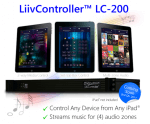
So what is the Liiv Controller?  Quite simply it’s a box, which looks similar to any stereo component, that allows you to control your home media from an iPad.  Now, we aren’t talking about an iPad remote control app here, this is a lot more sophisticated.  The LC-200 is a rack-mountable component that integrated into your home theater and works with Media Center.

It allows you to control, browse, and play any media right from your iPad.  You can control up to 4 separate zones with 6 separate IR control so that you can handle your TV, Audio/video receiver, DVR, Blu-ray/DVD player, as well as other components.  It has 2 RS-232 Serial Ports, 2-way iPod playback controls, is remotely manageable, streams internet radio, and uses vAutomation 2.0 which allows you to program and configure it from any web browser, including the one on your iPad.

There is now pricing available at this point but a release date has been slated for sometime in the second quarter of 2011.  This is one that you’ll want to take a long look at if it lives up to its hype and if you are a home theater/automation geek.

The Future Of OTT TV Apps

Posted by tomwiles at 11:10 PM on December 29, 2010

I’ve been experimenting for some time with connecting computers to televisions, along with a variety of other set-top boxes. I’m now at a point where I’ve begun to draw a few conclusions.

Are we there yet? The short answer is no. We’ve still got a long way to go.

After living a while with Apps on an Android smartphone, along with apps on an iPod Touch, it has become clear to me that the best apps running on these sorts of hand-held devices give a great, slick, quick-access media-consumption experience.

Apps running on Internet-connected TV’s or set-top boxes are going to be important in the future. However, so far what we have available today is a somewhat frustrating experience.

I’ve got a Mac Mini set up as an HTPC/DVR with an Eye TV USB HD tuner. The Eye TV software fails in a living room setting because the text within the application is too small to be easily read from across the room even on a big screen. I’ve also got the Boxee app installed on the same machine. Boxee does have a growing list of apps. However, many of the currently available Boxee apps still often fall short of genuine usefulness.

I want a software interface that I can read and interact with easily from across the room without having to deal with it as if it’s desktop software. I want software apps that are powerful, easy to use, and give me a consistent experience from one app to the next. If I’ve specified I want only videos, then the software should serve me up ONLY videos, with no audio podcasts mixed in.

The trouble with OTT content is that one size doesn’t fit all. The perfect app should allow me to cherry-pick my favorite Internet video content sources and turn them all into a single channel or series of channels.

The ideal OTT/set top box content delivery system is going to incorporate a system of apps much like either the Apple IOS app store, or the Android app store where the customer can choose from thousands of content gathering and/or content delivery apps. Like my Evo Android phone or my iPod Touch, I will be able to customize MY particular set top box with precisely the apps that I want without someone trying to steer me towards content that someone else wants to push towards me against my will. My iPod is my own, with my own selection of personal content. I want my TV to work in exactly the same manner.

Black Friday Deal For A Great Media Center Keyboard

Posted by Alan Buckingham at 12:51 PM on November 26, 2010

Just a quick heads-up for anyone looking for a great Media Center (HTPC) keyboard.  Vidabox is offering their keyboard today for US $55.  I reviewed this keyboard a while back.  I have been using it for over a year now and still love it.  It has small trackball at the top right and the left/right click mouse buttons are on the top left.  In between are a host of buttons for Play, Fast Forward, Rewind, Pause, etc., which are compatible with Windows Media Center.  The keyboard works via RF so you don’t need direct line of site to your HTPC and don’t even have to open the cabinet door of your entertainment rack. It’s about the size of a laptop keyboard so it fits nicely in the drawer of the coffee table too.

I paid $79 when I purchased mine, but it now retails for $62 and is only $55 today.  I am almost tempted to buy a second one just in case something happens to the first.  It’s that good.

Vidabox Releases RoomClientV2 Today

Posted by Alan Buckingham at 12:00 PM on November 10, 2010

Vidabox has been busy lately.  For the second consecutive week they have announced a new product.  Today it is the RoomClinetV2, which is a media extender for streaming Blu-Ray, DVD, music, and photos from a media server.

This is a sleek, slim box that you can fit almost anywhere.  It packs Intel Dual Core 1.8 GHz processor, 2GB of DDR2-800MHz RAM, a slot-loading Blu-ray/DVD±RW/CD drive, and a 80GB 7200 rpm hard drive.  “The RoomClientV2 is our least expensive extender to date with a built-in Blu-ray drive,” explains Steven Cheung, President of VidaBox, LLC. “We’ve combined full 1080p, high definition Blu-ray playback, along with our comprehensive suite of media streaming capabilities for both online and stored content – all into a single, ultra-compact unit.”

They claim it can be mounted to the rear of any HDTV and is especially effective for such locations as a bedroom because of maximum noise level of only 28 dBA.  The size is listed as: Height 1.5″, Width 7.37″, Depth 11.03″, and a weight of only 3lb, 1oz.

As for connectivity, it has 1 front USB 2.0 port, 1 USB 3.0 port, 1 rear USB 3.0 port, 10/100/1000 LAN port, eSATA port, 1 optical SPDIF-out, 3.5mm analog 2.0 stereo out, 1 HDMI 1.2 output, and 1 DVI output.

Front view

Rear view

Top view


Vidabox Releases ThinClientV2 Media Extender

Posted by Alan Buckingham at 3:09 PM on November 4, 2010

VidaBox today announced it’s new ThinClientV2 Media Extender.  For those wondering where all of the Media Extenders have gone since the Windows Vista days – and the question is asked a LOT on the Media Center sites – here is a brand new one that is top-of-the-line.

It features eSATA, 10/100/1000 LAN, VGA, HDMi, SPDIF, and 4 UDB ports all on the back.  There’s an additional 1 USB port on the side, and, on the front, it has 1 USB, 1 analog stereo, and 1 headphone jack.

It’s relatively small, measuring just 1.5″ in height and 7.44″ in both width and depth.

As for the internals, it sports an AMD Neo Dual Core processor with 2GB of DDR2-800MHz RAM and an 80GB hard drive.  It accepts NTSC/ATSC/QAM tuners and PAL/DVB-T formats.  It also has built-in 802.11N, as well as a built-in multi-format card reader.

Below are High-res images of the front and back that Vidabox was kind enough to supply me with.

While their press release states “The new ThinClientV2 design uniquely balances both performance and low cost,” I have not been able to find pricing as of yet so I can’t say if it is truly a good deal.  As for the performance part of that statement I don’t doubt that it will be very fast and efficient.  It has all of the bells and whistles as far as its hardware specs, connectivity options, numerous USB ports, and even a card reader.  While the 80GB hard drive may seem small I don’t think that’s an issue since this device really isn’t for storage, it’s for accessing files stored remotely on an HTPC or media server.  My one complaint is that they didn’t go with USB 3.0 since devices are now starting to appear for the new spec.  It may have been an effort to control the price though.

Shuttle Adds Blu-ray To XS35 Series

Posted by Andrew at 1:00 AM on October 7, 2010

If you haven’t seen how small Shuttle’s XS35 series of ultra small PCs are, then you need to look more closely at the picture on the left.  The PC is the unit stuck to the back of the monitor.

The XS3510M is now available with a Blu-ray player making this a full hi-def media device.  Powered by Intel’s dual-core Atom D510 coupled with Nvidia’s Ion graphics, it’s capable of 1080p playback via HDMI.

At only 38mm thick, it’s just a little bit bigger than an external USB 3.5″ HDD unit and yet there’s both the Blu-ray / DVD writer combo drive and a 500GB disk drive (I assume that it’s of the 2.5″ variety) crammed in there, along with a 4-in-1 card reader on the front.  Round the back, there are four USB ports for your mice and keyboards.  11n Wi-fi is built in too.

Shuttle also touts the low power credentials, claiming a maximum of 29W, which would hardly get my standard desktop PC started.  Power is supplied via an external power brick, much like a laptop.

There are no fans in the XS35 series and all cooling comes from air circulating through the many holes in the case.  Consequently, the PC has to be stood upright, not on its side, but it makes the system totally quiet apart from the gentle whirr of the Blu-ray drive.

Windows 7 comes pre-installed with the XS3510M but the range has also been tested with Novell’s OpenSuSE Linux.

Prices start at £171 for barebones systems and around £650 for the unit featured above (depending on options, exchange rate, etc.)  Brochure (.pdf) available here.

All pictures courtesy of Shuttle.

The High End Of Media With Vidabox

Posted by Alan Buckingham at 6:54 PM on September 20, 2010

Vidabox (pronounced Vee-da-box) is a high-end computer/entertainment manufacturer.  This is a comprehensive whole-house solution for those who want the best, but are also willing to pay for it.  The Home Theater PC’s, Media Servers, and Controllers are all top-of-the-line and they are all ready to take your home to the next level.  And, the customer service is top-notch.

If you are looking for an end-to-end solution then this may be where you want to begin.  They have Media Centers, servers, extenders, and accessories.  You’ll still need to go elsewhere for your TV and A/V receiver, but they’d be hard-pressed to compete in that area with such heavyweights as Pioneer, Samsung (for TV’s), Yamaha, and Harman-Kardon (for receivers).

The Media Center PC’s come in a range of options with storage going from 2TB to 18TB, with the higher end being a RAID5 solution.  Blu-Ray drives are standard on all versions, as is Windows 7, built-in card readers, and TV tuner cards.

The servers are rack-mountable and range in storage from 8TB to 44TB.  Like all servers, they are headless – no monitor, keyboard, mouse, or remote is needed.  All servers are RAID-enabled.

They also make extenders with several different models available.  That will allow you to expand your Media Center and server out to your whole home.

But, perhaps my favorite products are the accessories.  A while back I reviewed the wireless keyboard/mouse with RF, which I have used for more than a year and absolutely love.  They also have something called the vController which is compatible with iPad and allows full remote control of your home entertainment system.

This system is not cheap, but if you want products that give you everything possible in today’s world of ever-changing home media then it may be the best solution that money can buy.  Combine it with good TV’s and receivers and you’ll be set.  And Windows Media Center has lots of home automation plug-ins available if you’d like to really expand what all of this hardware can do.