Geek News: Latest Technology, Product Reviews, Gadgets and Tech Podcast News for Geeks


BTR006 Bluetooth Audio Receiver Review

Posted by Andrew at 1:28 PM on August 6, 2012

BTR006 Bluetooth ReceiverA2DP Bluetooth rarely comes as standard in cars except on prestige marques, but most new vehicles at least come with a 3.5 mm audio socket on the audio system for plugging-in mp3 players. If you want a quick and cheap way to upgrade the car’s audio to Bluetooth, take a look at he BTR006 Bluetooth Stereo Receiver.

The BTR006 is a small plastic rectangle just a few millimetres deep (45 x 33 x 8 mm). It has only one button for on/off, an activity LED, a DC power socket and a 3.5 mm audio jack on the end of short lead. It’s a doddle to use: charge up, connect the jack into the 3.5 mm audio socket, pair with smartphone and starting playing music from your smartphone through the audio system. Simples!

Audio quality is perfectly acceptable given that it’s Bluetooth anyway and the receiver successfully paired with every device I tried it with. The receiver supports both Bluetooth 2.1 with both A2DP and AVRCP.

There’s an internal battery that’s good for 12 hours according to the spec, which is probably about right based on my experience. I get a whole week of podcast listening which means somewhere over ten hours based on weekly commute and other travel. Contrary to some reviews, it is possible to charge and use the device at the same time. The confusion arises as connecting the charger does turn off the BTR006, but turning it back on again lets the receiver charge and play at the same time.

One of the best features is that it automatically powers off when the Bluetooth connection is lost for a few minutes so the battery doesn’t run down when the car is parked and not in use. Obviously the receiver has to be turned back on, but that takes seconds to do.

BTR006 Installed in Car with Velcro

Unless there’s a convenient nook or cranny in your vehicle, the BTR006 will hang down from the audio socket, especially as the lead isn’t very long. Of course, the easy solution is to use Velcro, with a small strip on the back of the BTR006 with a matching strip on the dashboard. The BTR006 can be easily detached for charging at home or in the office via the supplied USB charging cable. Here’s what it looks like installed in my car….yes, I probably should have cleaned the dash before taking the picture.

Note that the BTR006 does not have a microphone so it’s not possible to use it for hands-free calls but regardless this is an excellent buy to play music through your car’s audio system via Bluetooth.

Available from Amazon for around £15 or $28 – just search for BTR006. Disclaimer – I bought this device personally.

FiiO E6 Headphone Amplifier Review

Posted by Andrew at 9:36 PM on June 24, 2012

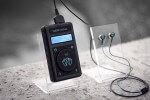
The FiiO E6 is small headphone amplifier designed to improve the listening experience from personal music players and smartphones. With a couple of equalisation settings, the E6 can enhance the bass range to counteract the high-frequency tendencies of digital compression.

FiiO E6 in Retail Packaging

In the box, there’s the E6 itself, two clips for attaching the E6 to clothing, a USB charging cable and two stereo 3.5 mm cables, 12 cm and 75 cm. For hooking up iDevices, an Apple connector-to-3.5 mm jack is available to buy. There’s also a small instruction manual.

FiiO E6 Contents

The E6 is 40 x 40 x 9 mm, approximately the size of an Apple Nano. The main features are a mini-USB port for charging, two 3.5 mm stereo sockets (one in, one out), a volume rocker and an on/off slider. There’s a small LED on one side, but until the E6 is powered up, you might mistake it for a reset hole.

The E6 is quite light as the case is plastic. Coincidentally, the finish was a good match for from my Sansa  player and could easily be mistaken as a complementary accessory, but clearly that feature depends on your particular mp3 player!

Sliding up the on/off switch turns the E6 on, with a blue LED illuminating the silver corner. The volume rocker switch turns the volume up and down and as this is an amplifier, it’s possible to exceed the volume of the original device, so mind your ears. The battery life is given as around 10 hours which would be in line with my experience of the E6.

On the back, there’s a small pinhole LED showing the equalisation – off, red, blue and lilac. Each further upwards push of the on/off switch steps through to next setting. According to the manual, the four settings are equalisation off, 3 dB boost, 6 dB boost and -3 dB boost, i.e. reduction, but the effects are more subtle than simply amping up or amping down.

Generally, the equalisation boosted the bass while reducing the treble and while my personal preference was for the first setting, both were very acceptable. The equalisation was done well, in that while the balance of frequencies was being adjusted, the clarity was still there. Although reduced in significance, the higher frequencies weren’t muddied and the overall impression was of greater warmth.

A small amount of background hiss was only noticeable between tracks when using the earbuds in quiet surroundings. When using over-the-ear headphones, it couldn’t be detected.

Currently priced at £18.99 from Advanced MP3 Players, the E6 is an inexpensive personal amplifier. It might have a budget price but the E6 punches above its weight, counteracting the tinniness of digitally compressed sound with depth and feeling.

Most of testing was carried out with Sennheiser CX-300 earbuds, Sennheiser eH1430 headphones and a Sansa e250 mp3 player.

Thanks to Advanced MP3 Players for the loan of the E6.

Amazon Cloud Player App Finally Available for iOS

Posted by Alan Buckingham at 9:10 AM on June 12, 2012

Amazon Cloud Player has been available for Android devices since it launched, but today Amazon announced that the music app is now available for iPad and iPhone.  That’s great news for iOS owners, especially given that the other big player in this field, Google Music, is also not available for Apple’s mobile platform.

Amazon Cloud Player offers 5 GB of free storage for your MP3′s.  Customers can not only store the music they purchase through the Amazon MP3 Store, but also upload their existing music to the service.  Additional storage is available at tiered rates, which are pretty reasonably priced.  New users can sign up for the service over at Amazon.  The app is available now through the iTunes Store.  The app is free for iPhone, iPad, and iPod Touch and requires iOS 4.3 or higher.  Amazon Cloud Player is also available for Android and on the web.

iPhone and iPod touch

The Counting Crows Bring Their Music to BitTorrent

Posted by Alan Buckingham at 4:31 PM on May 14, 2012

Underwater Sunshine (or what we did on our summer vacation)

The popular rock band Counting Crows are going BitTorrent.  The band has made four songs off of their latest release available for free download in an effort to attract new fans.  The album, titled Underwater Sunshine (Or What We Did On Our Summer Vacation), was released last month and features15 tracks.  In a departure from their past, the Crows have made this CD a collection of all cover songs.

The BitTorrent release features not only the audio files, but also liner notes, and artwork from the album.  Frontman Adam Duritz, during an interview with Mashable,  said “I don’t know how I didn’t think of this earlier — it’s the most obvious thing in the world since BitTorrent has such a huge global reach.  It’s not just about getting music to the people who would buy it anyway — even though that is, of course, very good — the hardest thing to do is make new fans.”

Kudos to the Counting Crows for taking this route and seeing the benefits that many, or most, artists and labels seem to be clueless about.  Getting their music out there for people to hear is the first step towards gaining new avenues of revenue.  Some fans may elect to buy the CD’s, but even those who don’t will perhaps spend money on a concert ticket or, at the least, promote the band to other listeners.

This approach may seem like a no-brainer for established stars who already have fans looking for their material, but it is a bit tougher for the unknown artists who want to get noticed.  However, this may generate the publicity to get more bands to take this approach, and there are some great success stories from those who have taken the free approach early – just ask Jonathan Coulton or the guys from OK Go.

Zik Parrot by Starck Headphones

Posted by Andrew at 11:00 AM on May 9, 2012

Announced earlier in the year, but launched tonight, the Zik Parrot by Starck headphones are seriously aspirational, coming with touch control, motion activation, active noise cancellation, NFC and Bluetooth connectivity. And of course, being designed by Philippe Starck, they look pretty cool too.

Zik Parrot By Starck

Aimed squarely at smartphones users and designed for listening on the move, the outside of the cans is touch-sensitive and recognises gestures, so swipe forwards to skip a track, swipe up or down to adjust the volume and if you take the headphones off, the music will automatically be paused.

Smartphone owners with NFC-enabled smartphones can pair their Zik and phone together simply by touching the two devices together. Bluetooth A2DP is supported and there’s also a 3.5mm audio socket for audio purists. The active noise cancellation insulates the listener from the outside world while DSP enhances and enlarges the music.

Complementary smartphone (or tablet) apps for iOS and Android are available from the applicable app stores.

Price – to be announced.


Party With My Friends

Posted by Andrew at 12:33 PM on May 4, 2012

As it’s the weekend, and a long one at that in many countries round the world, perhaps Todd will forgive this piece of total brilliance. DJ Duo Hot Problems have taken lip-syncing to a whole new level with the video from “Party With My Friends” in a Star Wars sing-along. Of course, it’s also Star Wars-day today!

Sheer genius, even if you don’t like Star Wars that much.

Spotify Available on the iPad

Posted by KL Tech Muse at 7:18 PM on May 2, 2012

Today, May 2 Spotify released a new app for the iPad. It is available in the iTunes App Store. In order to use the app you have to be a Premium member, which is $9.99 a month. The premium membership allows you to access Spotify on a mobile device. It is a beautiful app and very easy to use.

When you first open it you have to sign in using either your Spotify account (if you have one) or your Facebook account. The first page you will see is the What’s New Page. On the left hand side are Search, What’s New, Inbox, Playlists, People. These option are available on all screens.

Whats New
 

At the bottom of the screen is the song you are playing. To see the album art in full screen you simply tap on the arrows next to the album art icon. Then if you want to star the song, share it or find out more details about it, just tap on the album and then the options are listed below it. To go to the next song on the playlist swipe up, for previous song swipe down. To go back to the main page tap on the black section of the screen and hit the hide button.

On the People tab you can click on the person icon and see their top tracks, top artist and published play list. If you tap on an artist it will open up a tab on the right hand side of the screen and show; related artist, the artist top hits, their albums and singles. To close the tab simply swipe right. Under the setting’s tab you can control offline mode, crossfade, gapless playback and whether you want to make the session private or public.

The one thing I noticed was when I uninstalled and then reinstalled the application, the people’s faces I was following no longer showed up under the People tab. There was just a grey profile with a number underneath. If you tap on the grey profile, on some of them the name would appear, but on others nothing would happen. It appears the names would appear only if the person had published a playlist. If you have a lot of friends who publish playlist this can get a little annoying. To fix this problem I powered down my iPad completely and than power it back on again and the pictures were back.  Other then that small annoyance I really like the Spotify app for the iPad. It is beautiful and highly intuitive. If you have a premium account I highly recommend downloading it.

JayBird Headphones for Sport

Posted by Andrew at 2:45 PM on April 22, 2012

JayBird SportsbandTo be honest, I’d never heard of JayBird headphones until I came across them on the DAD Audio stand at Gadget Show Live. However, having listened to their pitch, I’d consider a pair for use at the gym or during sport. Why? Because JayBird specialise in headphones and earbuds that are sweat-proof and difficult to dislodge.

On show were two Bluetooth headsets, the Sportsband and the Freedom. As you might expect, the Sportsband is a traditional headband model with modern styling (shown left), whereas the Freedoms are earbuds (show below) with a twist.

Jaybird FreedomsKeeping earbuds in during exercise is a constant problem, and the Freedoms solve this problem but having a cunning in-ear hook that latches onto part of the ear. This ensures that the earbuds stay in the ear no matter how active and sweaty the wearer gets.

If you are in the UK and are interested in picking up a pair, JayBird headphones are sold online by DAD Audio. Both models are currently £99.

To learn more, listen to my interview with Stephanie at the Gadget Show Live.

Griffin and Crayola Create Kid-Friendly MyPhones

Posted by JenThorpe at 1:26 PM on April 19, 2012

Here’s something for all the parents out there. Your children love music, but you don’t love the particular music that they have become enamored with. Are you tired of hearing that same song over and over again? You may have considered handing your child your own, personal, headphones or earbuds, but this can be problematic in many ways.

Griffin and Crayola have teamed up to make the perfect solution for these types of situations. It is called MyPhones. They are fully adjustable, volume limiting, earbuds and headphones that are kid-sized. They come with a built in, always-on, sound-control circuit that caps peak volume levels at 85 decibels. Kids wearing MyPhones will hear music that is slightly louder than typical conversation but is quite a bit lower than what a typical mp3 player puts out at max volume. It helps to protect your child from hearing loss.

The MyPhones headphones come in two color combinations. Choose from pink/purple or blue/green. They come with stickers and Crayola markers which kids can use to customize their headphones to express their own, unique, personality. The MyPhones headphones are available from Target and cost $29.99.

The MyPhones earbuds come in a cute carrying case that looks like a large Crayola crayon. It snaps open to reveal 3 sizes of soft silicone ear cushions. Pick the one that best fits into your child’s ear. The MyPhones earbuds come in three Crayola colors: “Purple Pizzazz”, “Caribbean Green”, “Blue Berry”, and “Cotton Candy” (which is pink). The MyPhones earbuds are also available from Target and cost $14.99.

This solves the problem of having to share your earbuds with your child. But, how will you protect your iPod Touch from potential damage that can occur while your child uses it to play music? Griffin and Crayola have you covered here, too!

How about a colorful Crayola Classics Case? Each one has the familiar design that you see on the paper that covers a Crayola crayon. These protective shells come in a variety of Crayola colors including: “Purple Pizzazz”, “Cotton Candy”, “Caribbean Green”, “Blue Berry”, and “Radical Red”.

Color Clickers is something different. It combines a protective polycarbonate shell with 28 interchangeable color stripes. Your child can pull these off and rearrange them as often as he or she wants to. Both the Color Clickers and the Crayola Classics cases are priced at $24.99 and are available through Griffin.

Songza: Playlist Maker for Every Mood or Activity

Posted by KL Tech Muse at 4:24 PM on April 6, 2012

I don’t know about you, but I am really bad at making playlist. First I usually think about making a playlist about the time I need one and don’t have time to make it. Second I am really bad at naming playlist, so I have playlist that have names like my favorite songs, or something obscure like Fun Time or Son of Cash. When I created those playlist I am sure the titles had meaning, but after a while I forget what they were, so I tend to create multiple playlist with a lot of the same artists. I am sure I am not the only one that either hates making playlist or is bad at it and that is where Songza comes in.


Songza is available on iOS, Android and through their Web site. The company Songza is made up of music experts, software engineers and “absurdly talented dancer” They have gather together over 1,880 playlist created both internally but also by artist, producers, DJs and other people involved with the music industry. You can either sign in through Facebook or you can create an account for Songza. Once you have sign in on an iOS device the first page you see is divided into three sections. The bottom section has five tabs, Concierge, My Playlists, People, Explore and Settings. With Concierge highlighted the middle section will show six blocks with activities based on day and time. The top section is where you can adjust the day and time, so for example if it’s Friday afternoon and you are driving home early you could set it for Friday evening and you will get playlist like Cure for Road Rage or Post-work Celebration. If you tap on My Playlist at the bottom you will see the most recent playlist you have listen to, any that you tagged as favorites and if you follow someone on Songza you will also see their play list. Under the Popular tab you have the featured playlist, what’s trending and all-time popular. Although the Concierge is great when you want to be really lazy. For the me the real power of Songza comes out when you hit the Explore button (aka as Discovery on Android). From there you can find playlist based on Activities, Moods, Decades, Culture and Record Clerk. There are probably more than 50 activities listed everything including coding, reading in a coffee shop, road trip, house party and between the sheets just to name a few. Under moods you will find aggressive, earth, gloomy, seductive, trippy and many more. What ever mood you are in Songza will have a playlist for you. Under culture you will find playlist with songs that are being blogged about and are trending on sites like Beatport.  Gorilla vs Bear and Pitchfork. If you are looking for best of lists this is where you will find them. Finally under explore there is Record-store Clerk, where you will find list that were created by artist, record labels, legendary producers, great composers and yes some of the list were created by actual record store clerks. There is an option to contribute your own playlist however because of licensing restriction you can’t listen to your own playlist.


You can share a song to Facebook or Twitter or by email. There is no ability to share to Google Plus on iOs devices.  If the song is available you can purchase it through the iTunes store on any iOS device. I couldn’t find a buying option on my Android device or the web site. I have only been playing around with Songza for a little over a day, but so far I love it. I did run into a couple of problems though. The first is Songza is different on Android then it is on iOs. iOs is on app version 5.10 while Android is only at 3,0,10, so iOs seems a little more polished. On Android, Concierge is missing and instead of Explore they use Discovery. When you save a playlist on iOS it automatically goes into your favorites list. On Android you can put it in your favorites list or you can create collections. However when I did try to create a new collection on Android Songza would crash and I would have to log back in. Also there does seem to be more buffering on Android then iOs. Despite these problems I do recommend trying Songza out. It is free so there is nothing to lose. Robert Scoble (aka the Scobleizer) interviewed the founders and the video is available on YouTube