When I was as SXSW, I was excited to find that Roku was changing the interface to a Grid view. In interviewing Roku, I was told the interface would be rolled out to older players but had to wait. Well now the wait is over.
Roku rolled out their new interface to certain older Roku boxes. If you own a Roku LD, HD, XS or MHL Streaming Stick, you will be able to update the software and utilize the new interface.
CES Interview: Roku Streaming Stick
CES Interview (TPN.TV): 3M MHL Projector with Roku
How to Update to the new Roku Interface
This is a manual update – on your Roku, go to your settings and navigate to the update section. You will have to agree to update to the new grid view, then watch as the software downloads, installs and reboots. After the familiar bouncing Roku logo, the new grid interface appears.
Features of the Roku Grid Menu
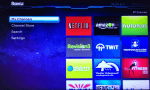
The biggest feature is your channels are now on a grid rather than a straight line. You can reorganize your titles for easier navigation. The search option and the channel store are both now on the left navigation menu. This makes for easier discovery of new channels and searching for content on your Roku device.
Speaking of the search option, you will be able to search for videos, movies and TV shows right from the interface. Roku will let you know where you can watch the videos and how much it might cost (if any).


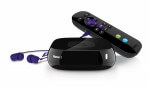
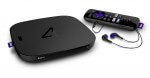
This morning Roku unveiled its brand new Roku 3 box. This is the first update to the Roku lineup in some time and there are quite a few changes with the Roku 3. The announcement calls it the “fastest, most powerful streaming player to-date”.
I remember building a PC many years ago and at that time, 

If you’ve ever wondered how your gadgets talk amongst themselves to successfully play music from your PC through a media streamer, you’ll be interested in this interview with Dr Alan Messer, President of the 
The sci-fi vision of the videophone being as commonplace as the telephone hasn’t materialised but
The TV Phone uses a pass-through technology, meaning that there’s no need to change channels to receive a call. The TV Phone notifies users of incoming calls while they are watching TV via a pop-up message on screen. By using Google video chat, the Biscotti TV Phone can connect to any device that has a Google chat client, whether it’s Android, iPhone or a PC.
Earlier in the week, Microsoft gave the Xbox a big push in the race for HDMI 1 with Steve Ballmer