Digital security firm Sophos today released their Security Threat Report for 2011, which reviews all the ways that the bad guys are out to get you. It’s a glossy 52 page report and is worth a quick read to understand the threats that are out there, especially in areas that you might not be familiar with.
The report covers the key threats from 2010:
- Fake anti-virus software and scareware – through a warning dialog, users are scared into paying for and installing fake anti-virus software, which at best does nothing and at worst steals passwords and credit card information.
- SEO poisoning – manipulating search engine results to point users to fake and rogue websites, which are loaded with browser exploits and malware.
- Clickjacking or UI redressing – hiding malicious buttons underneath innocuous images, e.g. clicking on a “Like” or “Share” image actually emails out malware to all the users friends.
- Survey scam – in order to complete a questionnaire that typically offers a non-existent but sought-after prize, software has to be installed or access given to personal data. This information is then used to propagate the questionnaire onwards, earning affiliate revenue for the application developer.
- Spam – not exactly a new entrant in 2010 but the rise of spam on social networking sites is an increasing problem.
- Spearphishing – a variant on the original phishing but in this case the attack is well targetted and much more convincing and consequently more likely to succeed.
- Stuxnet worm – a traditional vector but with a new target, the Stuxnet worm went after SCADA systems and industrial PLC controllers. Very sophisticated, leading to conspiracy theories involving industrial sabotage.
- Malvertising – the infection of advertising on legitimate websites that links to malware or fake anti-virus software.
- Compromised sites and accounts – Legitimate websites and typically celebrate accounts are hacked to serve infected webpages or link to malware sites.
The report briefly covers the threats posed to iOS, Android, Windows 7 and Blackberry smartphones before moving onto to review issues with Facebook, Adobe products, removeable media and USB drives. Windows 7 and OS X are also discussed.
The report continues with some of the success stories when the justice system has managed to catch up with the criminals before closing with advice and guidance on how to avoid getting hit.
Give it a read. Warning – 4MB .pdf download.

This weekend I had to fix my dad’s computer after it got a Scareware popup. This Scareware was rather different than anything I’d approached before; when the popup appeared asking him to purchase via credit card some bogus software to “fix” his viruses, it also locked up his programs so that nothing else would work. He couldn’t open his virus program, email program, Microsoft Word, or anything else. Except, of course, for Internet Explorer, which redirected him immediately to a page where he could put out $80 via credit card to “fix” his access. “Scareware” is a term being used to describe malicious software and/or popups that ask a user to pay a fee to have the “virus” removed by bogus software.
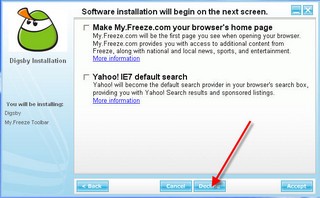
Do you really think anyone in there right mind would want to have some site I have never heard of by my.freeze.com become my default home page or change to the failing Yahoo as my default search is really nuts over there.