Geek News: Latest Technology, Product Reviews, Gadgets and Tech Podcast News for Geeks


OWC Mercury SSD Drives

Posted by KL Tech Muse at 11:27 AM on January 7, 2012

OWC Mercury DriveOther World Computing (OWC) will be introducing their newest Solid State Drive (SSD) line called Mercury Extreme. It is 3G with a combination of Sandforce Dura Class technology and Tier 1/Grade A NAND. Tier 1 (Grade A) is the top of line chips and are laser etched with a serial number. This combination produces data rates over 275MB. It is reliable and relatively noiseless. It has near bus saturation speed. Unlike regular SSD where the write speed tends to slow down after regular and constant use, OWC Mercury Extreme SSD drives do not. They use Block Management and Wear technology instead of the traditional OS Trim Management to help prevent that slow down. MacPerformance confirmed that Mercury SSD removes almost all slow down in data speed over time. The Sandforce Dura Class Technology also offers 100x the data protectin compared to ordinary SSD. They do this by the combination of 7 percent over provisioning, the highest level or error correction and Sandforce Raise (Redundant Array of Independent Silicon Elements).

You can get a 30 GB drive starting at $67.99 MSRP. It is available through OWC and selected retailers. There is a 30 day risk free guarantee and 24/7 live chat support. The drives are compatibility with any desktop or external drive that uses 2.5” drives. You can also get adapters for as low as $3.00, which allow 2.5” drives to be placed in 3.5” bays. OWC Mercury SSD are available with a capacities from 30GB up to 480GB starting at $67.99. OWC will be showing off these hard drives and more at CES in the North hall at Booth 5231.

Pogoplug Series 4 for Your Own Cloud

Posted by Andrew at 5:44 PM on December 14, 2011

Pogoplug LogoRegular readers will recall that I was quite taken with the integration of Pogoplug into the Buffalo CloudStation Duo, so I was very interested to hear that Pogoplug have released a new device, the Series 4. If you aren’t familiar with the Pogoplug device, it’s a network gadget that makes attached USB devices available across the Internet. In short, you can make your own personal cloud. More recently, Pogoplug has released a cloud service that complements the hardware devices.

Unsurprisingly, the Pogoplug Series 4 is the 4th generation of their of their original device, and while retaining the form factor of the Pogoplug Mobile, the devices now includes four different connection types for hooking up hard drives and other media.

  • 2x USB 3.0
  • 1x USB 2.0
  • 1x 2.5” SATA / USM / Seagate GoFlex ultra-portable drives
  • 1x SD card slot
New to the Pogoplug range is plug-and-play support for Seagate’s GoFlex external drives and other products that have adopted the new universal storage module standard (USM). There’s a gigabit Ethernet port for connecting the Series 4 to the network.
Series 4 Pogoplug
Series 4 Pogoplug ports
Owners can make their photos and videos available to friends and family over the Internet to PCs and mobile devices such as iPhones, Android smartphones and WebOS devices. The new Series 4 is designed to be an extension of the Pogoplug Cloud service. 5GB of cloud storage is available for free and premium options for 50GB and 100GB will be offered shortly.

The Pogoplug Series 4 is on-sale now for an RRP of $99.99.

Buffalo CloudStation Duo Hands-On Review

Posted by Andrew at 5:16 PM on December 4, 2011

On test here is the 2 TB version of Buffalo‘s CloudStation Duo, a RAID-capable NAS with built-in Pogoplug, giving the user their own personal cloud.

Buffalo CloudStation Duo with PogoPlug

The CloudStation Duo is squarely aimed at the prosumer market, both in terms of the hardware and the software on-board. For the hardware, it is equipped with two 1 TB drives and the unit can either be setup as JBOD (Just a Bunch Of Disks) or else RAID 1 in which each disk mirrors the other. Obviously, in RAID configuration, the NAS has only 1 TB of storage available for use.

For the built-in software, there’s a BitTorrent client, Time Machine support and DLNA multimedia server

Buffalo CloudStation Duo with Pogoplug

Those familiar with Buffalo’s LinkStation range will spot that the Buffalo CloudStation (CS-WX) looks identical the LinkStation Duo (LS-WX), albeit with a new CloudStation sticker on the top left of the front panel. Removing the front panel reveals nothing different on the inside either. Two swappable SATA drives, allowing for replacement in the event of failure or upgrade to a larger capacity.

Buffalo CloudStation Duo with Pogoplug Buffalo CloudStation Duo with Pogoplug Rear

Round the back, it’s the same layout as well. The USB port can be used to add additional storage or as a print server (which is also available as part of the “cloud”.)

All of the CloudStation’s functions are controlled by a built-in webserver, so it’s not essential to install any software on a PC. I found the IP address of the CloudStation via my DHCP server’s status table and after I had the IP, it was simply http://…. in a web browser. Setting up the CoudStation is straightforward. On first login, it recognises that the device is uninitialised and asks how the drive is to be setup. I went for RAID 1 which then meant it spent the next few hours building the array. This has to be completed before any new shares can be setup.

The shares (or folders) appear in Windows as any normal folder does, so copying files to the CloudStation is just a case of drag’n'drop.

Anyone who has setup a NAS before will find it all straightforward. The interesting part is the addition of Pogoplug’s personal cloud. To get started with this, simply open http://cloudstation.pogoplug.com/activate/ in any web browser. The website asks what type of CloudStation is connected and then walks through five basic steps to connect the device up, finally checking connectivity at the end.

As you might expect, the website prompts for an email address and password for secure access to the CloudStation via Pogoplug. A confirmatory link is sent via email and once that’s all checked, you’re logged into the CloudStation remotely and you can start using your personal cloud.

Buffalo CloudStation Duo with Pogoplug

And it’s brilliant. I was also able to play music and videos directly in the browser. Here’s a screenshot of it playing a video.

Buffalo CloudStation Duo with Pogoplug Video

And playing a music. You’ll just have to hear the tune in your head.

Buffalo CloudStation with Pogoplug music

The web interface is very comprehensive and you can do more from the internet that you can actually do on the local NAS. For instance, it’s easy to share files and folders with friends and family, which is very handy for photos. You can also share to Facebook, if you are into the social networking scene.

If you have a printer connected to the CloudStation, you can print to it to by sending emails with attachments to a Pogoplug email address. Not a perfect solution, but not bad for the odd occasion. There’s a similar feature that lets you upload files to the CloudStation via email which could be handy at times.

I was also able to gain access from my HP Pre 3 using the Pogoplug app. Similar clients are available for iOS and Android.

There are loads of other features such as the transcoding of video, use of HTML5, bulk downloading of folders and backup from the CloudStation to Pogoplug’s cloud. In fact, there’s too many to mention them all but suffice to say that everything I tried worked well.

To close this review, I wasn’t too sure what to expect from the “personal cloud”. I mean, how different can it really be from an ftp site with all your files on it? The revelation for me was the media aspect. Showing photos to friends and family is easy, listening to music from your entire collection is simple and videos can be streamed from home to wherever you are. I love what the the Buffalo CloudStation can offer when combined with Pogoplug.

The Buffalo CloudStation Duo comes in 2 TB and 4 TB variants and is available from all good retailers. Prices on-line suggest typical prices of around £250 and £310 respectively, which is only a small premium over the LinkStation Duo’s prices.

Psst….Buffalo…any chance you’ll offer a firmware upgrade for the LinkStation Duo to convert it to CloudStation Duo? I’d even pay for the upgrade.

Thanks to Buffalo for the loan of the CloudStation.

Buffalo DriveStation Velocity Review

Posted by Andrew at 2:12 PM on November 13, 2011

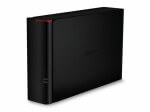
Buffalo LogoThe Buffalo DriveStation Velocity is a 2 TB USB 3 external drive, and given the size and the interface, it’s aimed at people who want lots of data and want it quickly. Let’s get the external features of the device out of the way and then check how quick it is.

In the box, there’s only the drive, the power supply, USB 3 cable and the usual paper flimsies for getting started and warranty. There is no driver CD as the files are all on the disk, but more on this later. The drive housing itself is black plastic, with a matte finish on the larger sides and glossy piano black on the thinner side, with a disk activity light that glows blue when on USB3 and green on USB2. The unit can either stand upright or be laid on its side and stacked: I couldn’t decide what orientation I preferred but it seemed to spend most of its time lying down.

Buffalo DriveStation Velocity

Round the back it’s fairly sparse with a USB3 connector, power socket and Kensington lock socket. Observant readers will also spot that there’s no fan so the Velocity runs quietly with only the hum of the hard drive itself, possibly making this a good choice for the living room.  Even while the disk was being thrashed during the read and write tests, the case never got more than lukewarm.

Buffalo DriveStation Velocity Rear

Time for the speed tests. Connected up to USB 3, the Velocity recorded the following data rates:
hdparm gave 133 MB/s for buffered disk reads.
dd gave write speeds around 92 MB/s.
- bonnie++ gave 75 MB/s for writes and 137 MB/s for reads.

Under USB 2, the figures were obviously slower but still fine for a USB 2 device.
- hdparm gave 32 MB/s for buffered disk reads.
- dd gave write speeds around 37 MB/s.
- bonnie++ gave 33 MB/s for writes and 38 MB/s for reads.

Wow! The read speed of 137 MB/s makes the DriveStation Velocity the fastest single USB3 unit that Geek News Central has tested, which is pretty impressive.

As mentioned earlier, the driver and utility software comes installed on the disk rather than on a CD. Generally, this is great and cuts down on CD-waste, but it would be wise to take a copy of the software in case the disk needs to be re-formatted…

…which brings us to the included utility for whole disk encryption. It’s very handy for keeping your data from falling into the wrong hands in the event of theft or other loss, but the utility completely erases the disk as part of the encryption process! So it seems to me that there’s a bit of a problem here for a drive that includes encryption as a feature but then deletes the utility off the disk as step number one. There either needs to be a CD in the box or else the encryption utility needs to make a backup copy of the software locally.

Other than this small issue, I liked the Velocity. I had no trouble getting it to work, the styling was satisfactory and it performed well. In summary, if you need a quiet drive with lots of space and great transfer rates, then put the DriveStation Velocity on your shortlist. Just remember to copy the drivers and utilities off the disk before enabling encryption.

Thanks to Buffalo for the loan of the DriveStation Velocity.

Buffalo Gets Extreme

Posted by Andrew at 8:43 AM on October 19, 2011

Buffalo Technology has announced the launch of the MiniStation Extreme, a ruggedised USB3 portable hard drive. Conforming to the US Military’s MIL-STD-810F 516.5 Procedure IV, the shock protection on this drive means that it will survive a fall from over 2 m or 6 ft.

Buffalo MiniStation Extreme Portable Hard Drive 

And if securing your data against physical damage isn’t enough, the MiniStation Extreme also comes with 256-bit AES whole/full disk encryption to prevent unauthorised access to your data. There’s an integrated USB3 cable which snaps in and out of the Extreme, keeping it all neat and tidy.

Paul Hudson, Sales Director for Northern Europe at Buffalo Technology said, “The MiniStation Extreme is a prime example of Buffalo’s commitment to product innovation. This latest addition to the MiniStation family is ideal for globetrotters who travel with their PCs and portable HDDs and demand a robust, fast and secure high performance portable storage device. The MiniStation Extreme can withstand free-fall drops of up to 2.3m making it the most robust MiniStation ever.”

The MiniStation Extreme is available in 500 GB and 1 TB sizes at £78 and £113 respectively, and comes in piano black, silver and red. No white yet for the iPhiles.

TDK Looking to Double Hard Drive Capacity

Posted by Alan Buckingham at 2:00 PM on October 10, 2011

Storage, both HDD and SSD, is growing in capacity and shrinking in price all of the time.  With hard drives currently as large as 2 TB available, and promises of even bigger ones coming it seems there is almost more storage already than anyone of needs.  Plus, for those willing to pay a premium, there are SSD’s, which are smaller in capacity, but much faster in read time.  Plus, we have even heard vague rumors of holographic storage coming in the future.

Now, from the future technologies department comes some news that TDK, the once famous cassette tape maker, has a technology that could double the storage capacity of a hard drive by using laser heaters to write the data.  TDK calls the technology HAMR – heat-assisted magnetic recording.  The laser needs to be combined with a new way of making the drive platters.  Supposedly TDK has used the technology with platters that would normally have held 1 TB of data and successfully stored 2 TB on them.

It sounds very futuristic, and honestly it is.  There is no release date for the technology, no idea of how such drives would be priced in comparison to a standard drive, and no real idea if this technology will ever even hit the market.  Frankly, beyond this one report from the Register, there is really no concrete evidence of this technology existing.  But the science of storage is always moving ahead at a fast pace, so it’s likely that such things as this are at least being tested.

Freecom iPad 2 Competition

Posted by Andrew at 12:12 AM on August 2, 2011

Just a quickie….if you liked the sound of the Freecom Mobile Drive Mg that I reviewed recently and you need a further incentive to buy one, from 1 August to 31 October 2011, every 100th customer to buy and register a Mobile Drive Mg from either an Apple Store, an Apple Premium Reseller, the Apple Online Store or from the Freecom webshop will win an iPad 2. Freecom has created a registration page with details of how to get involved and the terms and conditions of the promotion.

Competition Time – Freecom Mobile Drive CLS

Posted by Andrew at 3:09 PM on June 30, 2011

Congratulations to Rich Costin for winning last week’s competition for G Data AntiVirus 2012 – his prize will be on its way to him shortly.

Disappointingly, the number of responses to the competition was a bit low, though the quality of the response was high, so we’re going to try to attract a few more UK GNC readers and listeners to respond. This week the competition is to win the Freecom Mobile Drive CLS and Dock that I originally reviewed back in December. It’s an interesting take on removable storage for multiple 2.5″ drives.

Again,  simply leave a comment below saying how you think GNC could be more relevant to a British audience, and I’ll draw at random from the responses in a week.

Thanks to Freecom for the prize and remember, postage to UK addresses only. Good luck.

Google Music Beta

Posted by KL Tech Muse at 12:54 PM on June 22, 2011

Google Music BetaI received my Google Music Beta invite late Monday afternoon. After downloading the Music Manager I started to up load my music. My music is stored on an external drive to upload it into the music player I simply hit Other and then added the folder. It took between 15 and 16 hours to upload 1,836 songs. Any song that has DRM on it (i.e. purchased in the iTunes store) or in a non supported format was skipped. Google was able to upload the meta-data for most of the songs and albums. It had the most trouble with compilation CDs or CDs that were parts of a series. For example I have the Blues Master Series which consisted of 18 CDs which I had ripped on to my external drive. The Google player matched the meta data on some of the songs and not on others. I have noticed that so far though it hasn’t matched anything incorrectly, if it’s not sure it doesn’t guess. I also noticed that songs from the same album would get slightly different metadata and therefore create two or more separate albums folders within Google Music. You can correct or add information by clicking on the arrow in the lower right hand corner of the album. Then click on edit album or song information and fill in the information. However I haven’t figured out a way to merge folders yet. If you want to add album art you have to add it from your computer. I wish you could add an image by url, it would make it a lot easier. Under the same arrow, you can play a song, add a song to a playlist and create an instant playlist. You can also add a song to a playlist by dragging the song to the playlist. Another way to create a instant playlist from a song you can also thumbs up a song and then clicking on the plus button next to the instant mix.

It does work on the iPad through Safari awkwardly. You have to click on the triangle next to the song, album or playlist then click on play, then at the bottom of the screen click on the play button twice and then wait and after awhile the music will start to play. At first I kept pushing the play button thinking it wasn’t working and the song would start and stop however I soon figured out there is a delay between when you push a button and it reacts. If you use it within Safari it will continue to play in the background if you open another application. However it doesn’t go to the next song until you go back to the Safari browser. The Google Music player also works in the Mercury Browser but not in the background. For some reason the player worked fine within the Mercury browser at Borders but would not work within Safari at Borders, the web page would come up, but none of the songs would appear. I wonder if anyone else had a similar problem? I suspect that the problem maybe with the Border’s wifi and not the Google Player. I haven’t figured out a way to fast forward or rewind through a song on the iPad. Also the on screen volume button doesn’t work, you have to use the volume rocker on the iPad.

All in all I think the Google Music player is a good start, but it does need some work. First it needs to do a better job at adding meta data so that songs from the same album don’t end up in multiple album folders. Second there needs to be away to add album art directly from a URL rather then uploading a file. Also right now there is no way of sharing what song you are playing on Twitter or Facebook or even Google Buzz from the Google music. The only way to rewind or fast forward a song is by scrolling with a mouse, there needs to be a keyboard shortcut. I was actually surprised that it worked at all on the iPad. I would like to see them shorten the delay from when you push the play button in Safari on the iPad and when it starts playing. Also there needs to be a way to go to the next song automatically while running in the background. I already have the Amazon player and because I live in a Mac world I will also be trying the iCloud at that time it comes out. I hope to compare them all at that time.

Freecom Mobile Drive Mg Review

Posted by Andrew at 4:01 PM on May 26, 2011

The Freecom Mobile Drive Mg is no ordinary 2.5″ external drive. It’s a thing of beauty. Intended to complement Apple’s MacBooks, the slimline Mobile Drive has a magnesium body that looks and feels great. The icing on the cake is that it’s USB 3. I’ve seen lots of external drives but this is the one you want.

Even the packaging reflects the target market. Instead of a relatively dull cardboard box, this comes in an acrylic box so that you can see drive before you’ve even purchased it. The model shown here is the slimline 320 GB USB 3 version which is just 1 cm thick. Freecom have used the bevelled-edge trick to make it seem even thinner than it is but it doesn’t detract from the fact that it is thin and Freecom claim that it is the world’s thinnest external drive. In addition to the 320 GB capacity, there are two 720 GB units which are a bit thicker at 1.5 cm – one is USB 3 only, the other is USB 3 and Firewire 800.

Apart from the USB 3 connector and the Freecom logo, the only other external feature is a white LED which indicates power and disk activity. It’s difficult to make out in the picture below as it’s not lit, but it’s pretty much right in the middle. The drive is bus powered so there’s no power supply needed.

The Mobile Drive Mg comes pre-formatted with HFS+, so if you have a Mac, you’re good to go out of the box. If you’re a Windows or Linux user, it can easily be reformatted to another format.

I think we’ve established that it looks good, but does it perform? Connected up to USB 3, the Mobile Drive recorded the following data rates:

- hdparm gave 75 MB/s for buffered disk reads.
- dd gave write speeds around 82 MB/s.
- bonnie++ gave 74 MB/s for writes and 85 MB/s for reads.

Under USB 2, the figures were obviously slower but still healthy for a USB 2 device.

- hdparm gave 30 MB/s for buffered disk reads.
- dd gave write speeds around 37 MB/s.
- bonnie++ gave 35 MB/s for writes and 40 MB/s for reads.

Looking at the data, using USB 3 roughly doubles the performance when compared to USB 2, which is not unexpected. If you are interested in the specs, there’s a datasheet .pdf.

Price-wise, the model here costs 79 euros, with the 750 GB model bumping the price to 119 euros. Adding the Firewire port will cost 10 euros extra.

You know you want one.

Thanks to Freecom for the loan of the Mobile Drive Mg.