Geek News: Latest Technology, Product Reviews, Gadgets and Tech Podcast News for Geeks


Sony Connects Up At CES

Posted by Andrew at 7:30 AM on January 10, 2012

Sony LogoSony‘s CES focus this year is on electronics, content and network services combining to deliver high quality entertainment anytime and anywhere. Supported by a slew of product announcements, new connected devices range from TVs, Blu-ray players and A/V receivers through to tablets, smartphones and PCs and on to camcorders and mobile music players. Sony is combining these with online services for music, video and game delivery, creating a great user experience (as they say). TVs, PCs, smartphones and tablets are key to this experience as the four main devices used for entertainment.

Sony is committed to designing technologies for every aspect of consumer entertainment – in or out of the home, on the go, in the air, at work, at play, or wherever life takes you,” said Kazuo Hirai, Executive Deputy President, Sony Corporation. “When these products are combined with Sony Entertainment Network (SEN), which offers innovative services like Music Unlimited and Video Unlimited, as well as PlayStation Network, the user experience is truly unmatched and only made possible by a company like Sony.”

The Bravia TV line has been expanded in all three areas; entry level BX, step-up EX and flagship HX. Brightness and contrast levels have been increased and picture quality improved with Sony’s X-Reality and Motionflow video technologies. In particular the latter helps to reduce blur caused by rapid camera movements which is often a problem with LCD screens. Sony is sticking with the Google TV platform with a new network player and Blu-ray player featuring Google TV. Certain Bravia models will link seamlessly to these devices to provide Google TV features directly on the TV.

Sony Xperia ion smartphoneSony’s Vaio range of computers will continue to be updated with more entertainment feature and new designs that fit with consumers’ needs and increasing mobility. At CES, Sony will be demonstrating new technologies and prototypes for a range of technologies including glasses-free 3D.

In the smartphone space, the Xperia brand has done reasonably well, but increasing the smartphone share in North America is now one of Sony’s highest priorities. Sony Ericsson will be subsumed into Sony Mobile Communications and all new phones will carry Sony branding. The latest addition to the Xperia line-up is the Xperia ion, Sony’s first LTE smartphone coming with an HD 720p display and aluminium body. Also new is the Xperia S which comes with 3D image capture.

Sony Bloggie LiveOn the imaging front, no less than 13 new Handycam camcorders are being unveiled. A new image stabilisation system called Balanced Optical Steady Shot has been developed that controls the complete optical path from lens to sensor as a single floating unit. This reduces handshake blur by up to 13 times compared to the previous models. There’s a new camcorder model with a built-in video projector that has improved brightness and enhanced audio. The trusty Bloggie range now has a “Live” model which will live stream HD video over a Wi-Fi connection and there’s an unboxing over at sister channel TPN.tv. Of course, Sony has a bunch of new Cybershot digital still cameras.

Z Series Audio MP3 PlayerFinally, it wouldn’t be CES if Sony didn’t announce a Walkman or two. The new Z series of MP3 players comes with an application interface and connectivity to both Sony’s Music Unlimited and the Android Market. Content can be played from Z series devices either wirelessly using DLNA or via HDMI to Bravia TVs. To further improve the audio experience, no less than eleven new Balanced Armature earbud-style headphones are now available as well.

That’s it – a quick overview of the products on show at CES by Sony and they all look like fun.

Independence USA Reality Show

Posted by tomwiles at 10:10 AM on December 18, 2011

Do world events have you rattled? Ever thought of learning to live off the grid?

Follow Frank Belcastro as he attempts to drag his family (sometimes kicking and screaming) toward his goal of being able to live completely on their own, off the grid.

“Independence USA” premieres on January 18, 2012 exclusively on GBTV.Com, Glenn Beck’s new streaming Internet-based television network. “Independence USA” is produced by GBTV and The WorkShop, L.L.C. whose team has produced shows for History, ESPN, ESPN Classic, Animal Planet, HGTV, trutv, Travel Channel, Lifetime, Discovery Channel, TLC, The Golf Channel, and Broadcast Syndication. The show will air weekly on Wednesdays.

The “Independence USA” trailer has hit reality show written all over it. In my opinion this is going to be a real game-changer for the concept of streaming video and new media. This is the first professional-quality TV series aimed at a mainstream reality TV audience produced exclusively for an Internet-based television network. Though networks have played around for years with streaming re-purposed television shows and movies, this is the first time a network is being built from the ground up, one module at a time to create a pay TV network for exclusive distribution on the Internet.

Will people subscribe to an Internet-only high definition TV network? The answer is, yes they absolutely will subscribe provided that the content is there. It’s highly likely that the addition of the “Independence USA” reality TV series will get many people over the hump and cause them to pay.

People already in the new media/streaming media space should welcome GBTV, because it is going to be a game-changer. It’s success will likely cause a bit of a land rush towards streaming. Devices such as the Roku are in a great position to reap those land rush benefits. The presence of professional level TV networks on the Roku will potentially have a bit of a “halo effect” for existing new media creators.

On The Net, Less Can Offer More

Posted by tomwiles at 9:59 PM on December 5, 2011

For some time now I’ve been using an iOS/Android app called “Heytell” to communicate with a number of friends and relatives. Heytell’s appeal is that it offers reliable asynchronous voice messages that are quick and easy to send to people when you don’t want to invest the time in a phone conversation. Heytell’s success as an app is that it offers something that’s less than a phone call but does it very well indeed.

Text messaging is successful and popular because it offers the opportunity to send quick and easy messages directly to the cell phones of others if you don’t want to invest the time or effort into writing a full-fledged email. Text messaging’s success is that it offers something that’s less than an email but does it very well indeed.

For some time now, I’ve been experimenting with various set-top boxes, including the Western Digital WDTV as well as built-in apps in a couple of different brands of Blu-Ray players, the software version of Boxee, an Apple TV, and even a Mac Mini connected to my HDTV. All of them had their strengths, however, it still felt as if something was somehow wrong or missing from each one of those experiences and user interfaces.

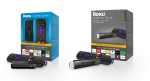
Over the weekend I bought a Roku 2 XS. The Roku is by far the best set-top box experience I’ve ever had. Roku has got it right. They’ve currently got well over 100 apps to chose from, with many more constantly being added. Roku has a tremendous amount of content provided by those third-party apps, and content drives success. Content is king and always will be.

It hit me what the appeal of a box such as Roku is with its third-party apps. These streaming apps, such as Crackle, Netflix, etc. are something less than a full-fledged cable or broadcast TV network. They can have lots of highly-specialized content to choose from, such as Netflix, or such a small amount of highly-specialized content that it’s only updated once a week. Big traditional cable and broadcast networks provide only one program at a time that the viewer has to make an appointment to watch. Roku video streaming apps provide specialized content that in many cases could never make it on a traditional broadcast network because the audience would be too small. That same specialized content begins to have tremendous appeal in a Roku app venue where it’s something less than a full-fledged network environment, yet delivered very well indeed.

On the Internet, less really can be more.

Buffalo CloudStation Duo Hands-On Review

Posted by Andrew at 5:16 PM on December 4, 2011

On test here is the 2 TB version of Buffalo‘s CloudStation Duo, a RAID-capable NAS with built-in Pogoplug, giving the user their own personal cloud.

Buffalo CloudStation Duo with PogoPlug

The CloudStation Duo is squarely aimed at the prosumer market, both in terms of the hardware and the software on-board. For the hardware, it is equipped with two 1 TB drives and the unit can either be setup as JBOD (Just a Bunch Of Disks) or else RAID 1 in which each disk mirrors the other. Obviously, in RAID configuration, the NAS has only 1 TB of storage available for use.

For the built-in software, there’s a BitTorrent client, Time Machine support and DLNA multimedia server

Buffalo CloudStation Duo with Pogoplug

Those familiar with Buffalo’s LinkStation range will spot that the Buffalo CloudStation (CS-WX) looks identical the LinkStation Duo (LS-WX), albeit with a new CloudStation sticker on the top left of the front panel. Removing the front panel reveals nothing different on the inside either. Two swappable SATA drives, allowing for replacement in the event of failure or upgrade to a larger capacity.

Buffalo CloudStation Duo with Pogoplug Buffalo CloudStation Duo with Pogoplug Rear

Round the back, it’s the same layout as well. The USB port can be used to add additional storage or as a print server (which is also available as part of the “cloud”.)

All of the CloudStation’s functions are controlled by a built-in webserver, so it’s not essential to install any software on a PC. I found the IP address of the CloudStation via my DHCP server’s status table and after I had the IP, it was simply http://…. in a web browser. Setting up the CoudStation is straightforward. On first login, it recognises that the device is uninitialised and asks how the drive is to be setup. I went for RAID 1 which then meant it spent the next few hours building the array. This has to be completed before any new shares can be setup.

The shares (or folders) appear in Windows as any normal folder does, so copying files to the CloudStation is just a case of drag’n'drop.

Anyone who has setup a NAS before will find it all straightforward. The interesting part is the addition of Pogoplug’s personal cloud. To get started with this, simply open http://cloudstation.pogoplug.com/activate/ in any web browser. The website asks what type of CloudStation is connected and then walks through five basic steps to connect the device up, finally checking connectivity at the end.

As you might expect, the website prompts for an email address and password for secure access to the CloudStation via Pogoplug. A confirmatory link is sent via email and once that’s all checked, you’re logged into the CloudStation remotely and you can start using your personal cloud.

Buffalo CloudStation Duo with Pogoplug

And it’s brilliant. I was also able to play music and videos directly in the browser. Here’s a screenshot of it playing a video.

Buffalo CloudStation Duo with Pogoplug Video

And playing a music. You’ll just have to hear the tune in your head.

Buffalo CloudStation with Pogoplug music

The web interface is very comprehensive and you can do more from the internet that you can actually do on the local NAS. For instance, it’s easy to share files and folders with friends and family, which is very handy for photos. You can also share to Facebook, if you are into the social networking scene.

If you have a printer connected to the CloudStation, you can print to it to by sending emails with attachments to a Pogoplug email address. Not a perfect solution, but not bad for the odd occasion. There’s a similar feature that lets you upload files to the CloudStation via email which could be handy at times.

I was also able to gain access from my HP Pre 3 using the Pogoplug app. Similar clients are available for iOS and Android.

There are loads of other features such as the transcoding of video, use of HTML5, bulk downloading of folders and backup from the CloudStation to Pogoplug’s cloud. In fact, there’s too many to mention them all but suffice to say that everything I tried worked well.

To close this review, I wasn’t too sure what to expect from the “personal cloud”. I mean, how different can it really be from an ftp site with all your files on it? The revelation for me was the media aspect. Showing photos to friends and family is easy, listening to music from your entire collection is simple and videos can be streamed from home to wherever you are. I love what the the Buffalo CloudStation can offer when combined with Pogoplug.

The Buffalo CloudStation Duo comes in 2 TB and 4 TB variants and is available from all good retailers. Prices on-line suggest typical prices of around £250 and £310 respectively, which is only a small premium over the LinkStation Duo’s prices.

Psst….Buffalo…any chance you’ll offer a firmware upgrade for the LinkStation Duo to convert it to CloudStation Duo? I’d even pay for the upgrade.

Thanks to Buffalo for the loan of the CloudStation.

Tesco and Blinkbox – Buy the DVD, Watch it Online

Posted by Andrew at 7:52 AM on December 2, 2011

Tesco Blinkbox Online MovieSupermarket Tesco and on-line movie site Blinkbox have introduced a new innovation to the UK where the purchase of a physical DVD or Bluray at Tesco also buys an online copy at Blinkbox. At today’s launch there are only about 25 movies included in the offer but more will be added to the service over time. The big blockbusters available now are Harry Potter and the Deathly Hallows, Part II and Transformers 3: Dark of the Moon.

Tesco customers tie their Clubcard account to their Blinkbox account and then qualifying purchases of DVDs in retail stores (or online) will automatically be added to Blinkbox. Once in Blinkbox, customers can watch the films through PCs, Mac, PS3 and certain smart TVs. For non-UK readers, Clubcard is Tesco’s customer loyalty programme and there are 16 million active Clubcard members.

Richard Brasher, CEO, Tesco UK said “Customers know that Tesco is a great retailer for new technology.  This innovation with blinkbox will help start a digital revolution, combining the physical with the digital for the first time.  Starting with the magic of Harry Potter, there will be many more great titles to follow for customers to enjoy online wherever and whenever they like.

Michael Comish, CEO, blinkbox said “To be able to bring this truly ground-breaking service to consumers is very exciting for blinkbox. Our customers already know that we are the number one choice for the latest new movie titles the day they released on DVD, so working with Tesco to give them access to both a physical and a digital version allows them choice and the best of both worlds.”

For those outside of the UK, this is probably all a bit “so what?”given the offerings from Amazon and others. However, here in the UK, the law still currently prohibits format-shifting, even if no-one pays attention, even if the law isn’t enforced. By effectively purchasing both copies at the same time (or buy one, get one free), this gets round any issues with the law. If this way of thinking takes off, other companies will follow with similar products in the UK, so it’s good news all round.

Thrusters on Reverse! Full Speed Back!

Posted by susabelle at 9:24 AM on October 10, 2011

netflix logoNetflix apparently woke up from its stupor and stepped back from the plan to spin off its DVD-rental service into a separate unit called Qwikster.  Universally panned by critics and users, the attempt to separate the businesses seemed like a terrible, terrible mistake.

Fortunately for Netflix users, it was a mistake and Netflix has been smart enough to reverse course and listen to the wants of its users.  There are other companies I wish would do the same (facebook and Google, I’m looking at you!).  Of course, it is really too late for users like me, who already left Netflix when prices increased by 60% or so.  I was never a fan of their streaming service, since it never had what I wanted as a stream option.  I could get very old things on streaming, including some old television shows, but what I wanted to stream were recent releases most of the time.  Or at least, releases from the last ten years or so.  I thought the idea of streaming was wonderful, since I could use streaming on my laptop when I was stuck in a hotel room in a random town for an evening.  But nothing I ever wanted to see was available through their streaming service.

As for their rentals, We had pretty much watched everything there was to watch that we wanted to watch.  At some point, we realized that we were not getting new rentals very often (maybe once or twice a month) and that wasn’t worth what I was paying.  It certainly wasn’t going to be worth what I was going to be paying once the price went up. There was a time when movies were coming and going from our mailbox like that flap was a revolving door.  But towards the end, when I canceled our service, we just weren’t using the service all that much. That time was past.

And overall, streaming was never really a huge draw for me to begin with, as we have no device with our television that will allow streaming to happen.  We don’t game, so there’s no XBox, and we don’t have OTT boxes either.  It’s not how we, as a family, operate.  And I’m sure we’re not alone.

I’m still happy to see that Netflix knows when it has made a mistake, and is willing to change direction.  And if they’d drop their prices back, we might just subscribe again.  For now, it will be RedBox and whatever we can pick up from our pretty up-to-date local library.  And there’s always MegaVideo, which my teenager uses to watch almost everything.

NFL Brings Preseason Games to the Internet

Posted by Alan Buckingham at 5:32 PM on August 3, 2011

nfl preseason live ad

It looks like the NFL, the last bastion of technology-phobia in sports, may be starting to come around.  While they haven’t announced anything regarding regular season games being available online, they did send out an email announcement today that all preseason games will be broadcast live on the internet.  I find it to be a step forward, while also still displaying their lack of understanding of modern media.

On the plus side, the NFL is actually broadcasting games live on the internet – all of them – every single preseason game.  On the negative side, you have to buy them all.  Granted, it’s only $19.99, which is pretty cheap for 32 teams each playing 4 games, but where is the per-game option?  What if I want to watch only the 4 games of my team?  Can we have a per-game price (read $1.99 or there abouts)?

In fairness, at least they are taking this step, and we should be happy with the progress.  And yes, I will pay the $19.99 and probably watch only 4 games.  But, I will also consider it as progress for the sport Americans love more than any other.  Maybe they still have a regular season surprise in store for us.  To subscribe, you can visit NFL Preseason Live.

TGP-2011-06-09 #11 ROKU & FIVE ADDITIONAL CONTENT OPTIONS

Posted by Gadget at 7:22 PM on June 9, 2011

The Gadget Professor Welcome to The Gadget Professor’s podcast, show #11. Today”s show features a review of the ROKU BOX and five additional free video content sites for your viewing pleasure! Sit back and relax while you watch The Gadget Professor.

Subscribe Today: Video
Download the Show File

Follow @gadgetprofessor on Twitter
Contact e-mail thegadgetprofessor@gmail.com
Sign up for the Newsletter be sure to choose Gadget Professor

The Gadget Professor wants to hear from you,
email him at:TheGadetProfessor@gmail.com.
Look for The Gadget Professor every Thursday here at Geek News Central.
Audio version coming soon!

PlayPlay

Create Your Own TV Station

Posted by tomwiles at 10:22 PM on March 20, 2011

One of the problems with watching video podcasts as an alternative to conventional television is that you have typically and deliberately watch one video at a time. On longer videos it’s not as much of a problem, but with short videos that last 5 minutes or less you have to keep manually restarting the next video after the previous one has finished.

I now have three Mac Minis – one is an old somewhat underpowered Power PC Mac Mini that I’m using as a video podcast aggregator. I have that machine’s iTunes database located on a much larger shared drive that’s available to every machine on my home network. I’m subscribed to a variety of tech podcasts, most of them in the highest resolution file sizes available.

I have two other Mac Minis that are of the latest design. I have an “Eye TV” USB HD tuner connected to one that’s connected to a substantial external antenna. Depending on atmospheric conditions I can receive up to 18 channels counting the various digital sub channels. This enables the Mac Mini to function as a DVR.

The second Intel Mac Mini is in another room and the Eye TV software also loaded on it is able to work from the other Mac Mini’s shared recordings.

Today I discovered by accident when playing around with iTunes on one of the Intel Mac Minis that the shared videos show up in the shared playlists from other iTunes databases. So, in other words, I can pick a shared iTunes list from the Power PC Mac Mini’s shared iTunes and a list of video files shows up. Since the videos are in the list just like audio would be, I am able to start a video file playing and when one file ends it will immediately start playing the next video file on the list. This is particularly useful because I can start videos playing as I do other things and it will continue to play just as if it’s a TV station. This is quite a handy capability to have. The lack of an ability to set up continuous video playback has long been one of the Apple TV’s biggest shortcomings.

Periodically I go to the Power PC Mac Mini and delete the video files that have been played, since iTunes keeps a play count, so I always have fresh material to watch.


Snapstick Transfers Content From Smartphone To TV

Posted by Andrew at 12:51 AM on February 14, 2011

If you mention “TV” and “smartphone” in the same sentence, most people will think about watching TV programmes on their phone. Some people will probably think of Sling. But what if you want to do it the other way round? What if you want to see what’s on your smartphone on your TV? In that case, Snapstick may have just what you want.

Jeffrey and Esbjorn ask Balaji Krishnan, Founder of Snapstick, why you’d want move from your smartphone to your TV.

Think about it, you’re browsing away on your smartphone and you come across something that looks really interesting but it’s on the tiny smartphone screen. Wouldn’t it be great if you could watch it on the big TV screen. That’s what Snapstick lets you do – hand off content from your phone to the TV.

The Snapstick is a combination of an app and a small box that you connect to your TV via HDMI. The box runs a custom version of Firefox and what happens is that the URL of the webpage or YouTube video gets passed by the app to the Snapstick box, which then displays that webpage or video. Data isn’t actually streamed from the smartphone to the TV, just the location is transferred.

Snapstick is currently in talks with hardware vendors to embed Snapstick into media players and a trial version may be available from D-Link. If you want to see Snapstick in action, there’s a YouTube video.

Interview by Jeffrey Powers of The Geekazine Podcast and Esbjorn Larsen of MrNetCast.com.

Please Support our CES 2011 Sponsors.

Get your 14 day Free Trial of Audible Gold to start listening to great books!
Save 25% on 4GH Hosting 1yr Subscriptions Save 25% Promo Code CES2.
Sponsor: The New Luxor, Las Vegas Deals Start @ $40.00 best rates guaranteed.