The Buffalo DriveStation Velocity is a 2 TB USB 3 external drive, and given the size and the interface, it’s aimed at people who want lots of data and want it quickly. Let’s get the external features of the device out of the way and then check how quick it is.
In the box, there’s only the drive, the power supply, USB 3 cable and the usual paper flimsies for getting started and warranty. There is no driver CD as the files are all on the disk, but more on this later. The drive housing itself is black plastic, with a matte finish on the larger sides and glossy piano black on the thinner side, with a disk activity light that glows blue when on USB3 and green on USB2. The unit can either stand upright or be laid on its side and stacked: I couldn’t decide what orientation I preferred but it seemed to spend most of its time lying down.

Round the back it’s fairly sparse with a USB3 connector, power socket and Kensington lock socket. Observant readers will also spot that there’s no fan so the Velocity runs quietly with only the hum of the hard drive itself, possibly making this a good choice for the living room. Even while the disk was being thrashed during the read and write tests, the case never got more than lukewarm.

Time for the speed tests. Connected up to USB 3, the Velocity recorded the following data rates:
- hdparm gave 133 MB/s for buffered disk reads.
- dd gave write speeds around 92 MB/s.
- bonnie++ gave 75 MB/s for writes and 137 MB/s for reads.
Under USB 2, the figures were obviously slower but still fine for a USB 2 device.
- hdparm gave 32 MB/s for buffered disk reads.
- dd gave write speeds around 37 MB/s.
- bonnie++ gave 33 MB/s for writes and 38 MB/s for reads.
Wow! The read speed of 137 MB/s makes the DriveStation Velocity the fastest single USB3 unit that Geek News Central has tested, which is pretty impressive.
As mentioned earlier, the driver and utility software comes installed on the disk rather than on a CD. Generally, this is great and cuts down on CD-waste, but it would be wise to take a copy of the software in case the disk needs to be re-formatted…
…which brings us to the included utility for whole disk encryption. It’s very handy for keeping your data from falling into the wrong hands in the event of theft or other loss, but the utility completely erases the disk as part of the encryption process! So it seems to me that there’s a bit of a problem here for a drive that includes encryption as a feature but then deletes the utility off the disk as step number one. There either needs to be a CD in the box or else the encryption utility needs to make a backup copy of the software locally.
Other than this small issue, I liked the Velocity. I had no trouble getting it to work, the styling was satisfactory and it performed well. In summary, if you need a quiet drive with lots of space and great transfer rates, then put the DriveStation Velocity on your shortlist. Just remember to copy the drivers and utilities off the disk before enabling encryption.
Thanks to Buffalo for the loan of the DriveStation Velocity.

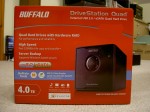
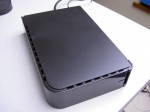
To describe the Buffalo DriveStation Quad as merely an external hard drive would be doing it a considerable injustice and likely to miss the point. This is an external drive on steroids and with attitude.
On the front there are four LEDs in the centre that indicate the status of each of the internal drives. There’s also a single power LED on the right. Round the back there’s both USB2 and eSATA ports. The USB2 can be used for both data and configuration of the device, whereas the eSATA connection can only be used for data. If you’re missing an eSATA port, don’t worry, there’s an eSATA bracket in the box that will convert a free internal connection to an external one. There’s also a simple auto/off switch.
So what’s it like in action? Let’s take a look.

In addition, there’s a bit of extra software including various drivers to “speed up” your PC, a backup utility and a RAM Disk utility.
Running a couple of speed tests, I was able to get an average read rate of just under 260 MB/s, which is actually better than spec (235 MB/s). To test the RAID capability, I removed one of the disks from the array and then copied some files to the remaining disks. On restoring the disk to the array, a red flashing light appeared on the front indicating the affected disk. The other three green LEDs flickered away while the array was rebuilt. Now, it did take a good few hours rebuild the array but I was still able to read and write to the unit during this time. Brilliant.