Geek News: Latest Technology, Product Reviews, Gadgets and Tech Podcast News for Geeks


Tag: storage

Buffalo CloudStation Duo Hands-On Review

Posted by Andrew at 5:16 PM on December 4, 2011

On test here is the 2 TB version of Buffalo‘s CloudStation Duo, a RAID-capable NAS with built-in Pogoplug, giving the user their own personal cloud.

Buffalo CloudStation Duo with PogoPlug

The CloudStation Duo is squarely aimed at the prosumer market, both in terms of the hardware and the software on-board. For the hardware, it is equipped with two 1 TB drives and the unit can either be setup as JBOD (Just a Bunch Of Disks) or else RAID 1 in which each disk mirrors the other. Obviously, in RAID configuration, the NAS has only 1 TB of storage available for use.

For the built-in software, there’s a BitTorrent client, Time Machine support and DLNA multimedia server

Buffalo CloudStation Duo with Pogoplug

Those familiar with Buffalo’s LinkStation range will spot that the Buffalo CloudStation (CS-WX) looks identical the LinkStation Duo (LS-WX), albeit with a new CloudStation sticker on the top left of the front panel. Removing the front panel reveals nothing different on the inside either. Two swappable SATA drives, allowing for replacement in the event of failure or upgrade to a larger capacity.

Buffalo CloudStation Duo with Pogoplug Buffalo CloudStation Duo with Pogoplug Rear

Round the back, it’s the same layout as well. The USB port can be used to add additional storage or as a print server (which is also available as part of the “cloud”.)

All of the CloudStation’s functions are controlled by a built-in webserver, so it’s not essential to install any software on a PC. I found the IP address of the CloudStation via my DHCP server’s status table and after I had the IP, it was simply http://…. in a web browser. Setting up the CoudStation is straightforward. On first login, it recognises that the device is uninitialised and asks how the drive is to be setup. I went for RAID 1 which then meant it spent the next few hours building the array. This has to be completed before any new shares can be setup.

The shares (or folders) appear in Windows as any normal folder does, so copying files to the CloudStation is just a case of drag’n'drop.

Anyone who has setup a NAS before will find it all straightforward. The interesting part is the addition of Pogoplug’s personal cloud. To get started with this, simply open http://cloudstation.pogoplug.com/activate/ in any web browser. The website asks what type of CloudStation is connected and then walks through five basic steps to connect the device up, finally checking connectivity at the end.

As you might expect, the website prompts for an email address and password for secure access to the CloudStation via Pogoplug. A confirmatory link is sent via email and once that’s all checked, you’re logged into the CloudStation remotely and you can start using your personal cloud.

Buffalo CloudStation Duo with Pogoplug

And it’s brilliant. I was also able to play music and videos directly in the browser. Here’s a screenshot of it playing a video.

Buffalo CloudStation Duo with Pogoplug Video

And playing a music. You’ll just have to hear the tune in your head.

Buffalo CloudStation with Pogoplug music

The web interface is very comprehensive and you can do more from the internet that you can actually do on the local NAS. For instance, it’s easy to share files and folders with friends and family, which is very handy for photos. You can also share to Facebook, if you are into the social networking scene.

If you have a printer connected to the CloudStation, you can print to it to by sending emails with attachments to a Pogoplug email address. Not a perfect solution, but not bad for the odd occasion. There’s a similar feature that lets you upload files to the CloudStation via email which could be handy at times.

I was also able to gain access from my HP Pre 3 using the Pogoplug app. Similar clients are available for iOS and Android.

There are loads of other features such as the transcoding of video, use of HTML5, bulk downloading of folders and backup from the CloudStation to Pogoplug’s cloud. In fact, there’s too many to mention them all but suffice to say that everything I tried worked well.

To close this review, I wasn’t too sure what to expect from the “personal cloud”. I mean, how different can it really be from an ftp site with all your files on it? The revelation for me was the media aspect. Showing photos to friends and family is easy, listening to music from your entire collection is simple and videos can be streamed from home to wherever you are. I love what the the Buffalo CloudStation can offer when combined with Pogoplug.

The Buffalo CloudStation Duo comes in 2 TB and 4 TB variants and is available from all good retailers. Prices on-line suggest typical prices of around £250 and £310 respectively, which is only a small premium over the LinkStation Duo’s prices.

Psst….Buffalo…any chance you’ll offer a firmware upgrade for the LinkStation Duo to convert it to CloudStation Duo? I’d even pay for the upgrade.

Thanks to Buffalo for the loan of the CloudStation.

Buffalo DriveStation Velocity Review

Posted by Andrew at 2:12 PM on November 13, 2011

Buffalo LogoThe Buffalo DriveStation Velocity is a 2 TB USB 3 external drive, and given the size and the interface, it’s aimed at people who want lots of data and want it quickly. Let’s get the external features of the device out of the way and then check how quick it is.

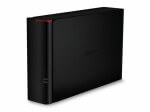
In the box, there’s only the drive, the power supply, USB 3 cable and the usual paper flimsies for getting started and warranty. There is no driver CD as the files are all on the disk, but more on this later. The drive housing itself is black plastic, with a matte finish on the larger sides and glossy piano black on the thinner side, with a disk activity light that glows blue when on USB3 and green on USB2. The unit can either stand upright or be laid on its side and stacked: I couldn’t decide what orientation I preferred but it seemed to spend most of its time lying down.

Buffalo DriveStation Velocity

Round the back it’s fairly sparse with a USB3 connector, power socket and Kensington lock socket. Observant readers will also spot that there’s no fan so the Velocity runs quietly with only the hum of the hard drive itself, possibly making this a good choice for the living room.  Even while the disk was being thrashed during the read and write tests, the case never got more than lukewarm.

Buffalo DriveStation Velocity Rear

Time for the speed tests. Connected up to USB 3, the Velocity recorded the following data rates:
hdparm gave 133 MB/s for buffered disk reads.
dd gave write speeds around 92 MB/s.
- bonnie++ gave 75 MB/s for writes and 137 MB/s for reads.

Under USB 2, the figures were obviously slower but still fine for a USB 2 device.
- hdparm gave 32 MB/s for buffered disk reads.
- dd gave write speeds around 37 MB/s.
- bonnie++ gave 33 MB/s for writes and 38 MB/s for reads.

Wow! The read speed of 137 MB/s makes the DriveStation Velocity the fastest single USB3 unit that Geek News Central has tested, which is pretty impressive.

As mentioned earlier, the driver and utility software comes installed on the disk rather than on a CD. Generally, this is great and cuts down on CD-waste, but it would be wise to take a copy of the software in case the disk needs to be re-formatted…

…which brings us to the included utility for whole disk encryption. It’s very handy for keeping your data from falling into the wrong hands in the event of theft or other loss, but the utility completely erases the disk as part of the encryption process! So it seems to me that there’s a bit of a problem here for a drive that includes encryption as a feature but then deletes the utility off the disk as step number one. There either needs to be a CD in the box or else the encryption utility needs to make a backup copy of the software locally.

Other than this small issue, I liked the Velocity. I had no trouble getting it to work, the styling was satisfactory and it performed well. In summary, if you need a quiet drive with lots of space and great transfer rates, then put the DriveStation Velocity on your shortlist. Just remember to copy the drivers and utilities off the disk before enabling encryption.

Thanks to Buffalo for the loan of the DriveStation Velocity.

TDK Looking to Double Hard Drive Capacity

Posted by Alan Buckingham at 2:00 PM on October 10, 2011

Storage, both HDD and SSD, is growing in capacity and shrinking in price all of the time.  With hard drives currently as large as 2 TB available, and promises of even bigger ones coming it seems there is almost more storage already than anyone of needs.  Plus, for those willing to pay a premium, there are SSD’s, which are smaller in capacity, but much faster in read time.  Plus, we have even heard vague rumors of holographic storage coming in the future.

Now, from the future technologies department comes some news that TDK, the once famous cassette tape maker, has a technology that could double the storage capacity of a hard drive by using laser heaters to write the data.  TDK calls the technology HAMR – heat-assisted magnetic recording.  The laser needs to be combined with a new way of making the drive platters.  Supposedly TDK has used the technology with platters that would normally have held 1 TB of data and successfully stored 2 TB on them.

It sounds very futuristic, and honestly it is.  There is no release date for the technology, no idea of how such drives would be priced in comparison to a standard drive, and no real idea if this technology will ever even hit the market.  Frankly, beyond this one report from the Register, there is really no concrete evidence of this technology existing.  But the science of storage is always moving ahead at a fast pace, so it’s likely that such things as this are at least being tested.

Freecom iPad 2 Competition

Posted by Andrew at 12:12 AM on August 2, 2011

Just a quickie….if you liked the sound of the Freecom Mobile Drive Mg that I reviewed recently and you need a further incentive to buy one, from 1 August to 31 October 2011, every 100th customer to buy and register a Mobile Drive Mg from either an Apple Store, an Apple Premium Reseller, the Apple Online Store or from the Freecom webshop will win an iPad 2. Freecom has created a registration page with details of how to get involved and the terms and conditions of the promotion.

LaCie External Hard Disk Review

Posted by Andrew at 2:38 PM on May 19, 2011

LaCie’s Hard Disk is a USB2 3.5″ external hard drive unit. Designed by Neil Poulton, it definitely comes from the minimalist school of design as it’s a shiny black box with a blue LED. The exterior is marred only by a discrete LaCie logo on one side; USB connector, power socket and on/off switch at the back. You don’t even see the LED itself, only the blue light reflecting off the desk.

And sometimes a box is just what’s needed, if you want stack or store the drives. All too often stylish designs prevent two units from being placed on top of each, taking up more space. This LaCie unit manages to be stylish and functional at the same time, though it’s a bit of a dust magnet at times.

I have two of the 1 TB drives and they form the heart of my backup strategy. Once a month, they get retrieved from storage, plugged in and the files synced with my NAS. Touch wood, I’ve not had any drive failures.

Performance-wise, it’s always hard to test reliably and consistently.  I’m on Linux, so I’ve a range of tools including dd, hdparm and bonnie++.

- hdparm gave 32 MB/s for buffered disk reads.
- dd gave write speeds around 43 MB/s, with reading closer to 50 MB/s.
- bonnie++ gave 34 MB/s for writes and 36 MB/s for reads.

Given that the maximum theoretical speed for USB 2 is 60 MB/s, these figures are pretty good. For comparison, bonnie++ gives figures around 100 MB/s for my main SATA drive.

Currently, the LaCie Hard Disk comes in 1 TB, 1.5 TB and 2 TB versions and if you look hard, the 1 TB unit can be picked up for around £50. Recommended.

Buffalo March Madness

Posted by Andrew at 9:53 AM on March 29, 2011

Buffalo Technology has had a busy month with updates to the TeraStation, LinkStation, DriveStation and MiniStation ranges.

Starting out at the beginning of the month, the new TeraStation NAS range was announced consisting of the Duo, 4 bay, 6 bay and 8 bay versions, all now powered by Intel’s Atom D510 processor.  The new models also come with two USB 3.0 ports (and two USB 2.0) to connect additional storage or to act as a print server. Aimed squarely at the business market, the TeraStations have Active Directory support, RAID 0/1/5/6/10 and come in both desktop and rackmount variants. Available from April 2011.

Mid-March, Buffalo announced the LinkStation Quad Pro, a 4 TB and 8 TB NAS aimed at the home prosumer. It can stream music and film to popular consoles such as the Xbox 360 or PlayStation 3, and also to any DLNA or uPNP media player. A new feature is support for the Logitech Squezebox which will please music lovers. For photographers, the “DirectCopy” feature uploads pictures from digital still or video cameras direct to the LinkStation. And finally, the new Android version of Buffalo’s WebAccess i app gives access to the multimedia from anywhere in the world. (When’s the WebOS version coming?)

Last week, it was the turn of the external drives, with the MiniStations and DriveStations getting the upgrade treatment. The MiniStation gets a capacity bump to 1 TB and now comes in a glossy black finish. The DriveStation also gets the piano treatment but now comes in two variants: for the price conscious, there’s a USB 2 version in 1 TB and 2 TB capacities but for the speed freaks, a USB 3 version (1, 2 & 3 TB) will satisfy their needs. Available now from all good retailers.

A busy month for Buffalo with something for everyone – I quite fancy upgrading to the LinkStation Quad Pro.


DataLocker Protecting Your Data

Posted by KL Tech Muse at 6:27 PM on February 12, 2011

the DLS3 by DatalockerTodd Cochrane and Tom Newman spoke to Peter Whitman Director of Operations for DataLocker, about the importance of encrypting your data, especially when traveling. Peter Whitman talked about DataLocker newest product the DLS3. The DLS3 is an encrypted portable hard drive. It connects to your computer by USB 3.0 technology (it will work on USB 2.0) It use military grade 256 bit AES XTA mode encryption.

The DLS3 drive uses two factors of authentication a RFD card and a pass code. If someone tries to guess the code and enters the wrong code nine times the system will wipe the data. There is rapid secure wipe. It also uses keypad randomization so you can not figure out the code by lifting the fingerprints. It is platform independent so you can use with a Mac or PC. You can use is as a bootable drive and even partition it. It should be shipping in March.

Interview by Todd Cochrane of Geek News Central. and Tom Newman of The Fogview Podcast.

Please Support our CES 2011 Sponsors.

Save 25% on 4GH Hosting 1yr Subscriptions Save 25% Promo Code CES2.